Status: Beta. I’ve been using it in a project since the past year. I’ve been also trying to make it my daily driver.
This is the multi-page printable view of this section. Click here to print.
Documentation
- 1: Introduction
- 2: Installation
- 3: Tutorial
- 3.1: 0. Evaluation
- 3.2: 1. Literal Objects
- 3.3: 2. Symbols, Variables, and Values
- 3.4: 3. Functions and Abstractions
- 3.5: 4. Packages and Namespaces
- 3.6: 5. Systems and Libraries
- 3.7: 6. Classes and Methods
- 3.8: 7. Structures and Performance
- 3.9: 8. Types, Classes and Structures
- 3.10: 9. Miscellaneous
- 4: Introduction to Moonli for Common Lispers
- 5: Introduction to Moonli for Pythonistas
- 6: Feature comparison across different programming languages
1 - Introduction
Moonli is a beautiful programming language with a simple syntax and a very interactive development experience. This enables rapidly prototyping new programs. At the same time, once a prototype is ready, the programs can also be optimized for runtime performance as well as long term maintenance.
Features
- Sane variable scoping rules as given by common lisp
- Sane namespace scoping thanks to common lisp package system
- Sane restarts and condition system thanks to common lisp
- Strong typing with optional static typing, optional dynamic scoping
- Availability of optimizing compilers such as SBCL
- Sensitive to newlines and semicolons but not to spaces and tabs (indentation insensitive)
- Returning multiple values without an intermediate data structure
- Support for rapid prototyping through CLOS and image-based development
Plan
- Real numbers, strings, characters, lists, infix arithmetic operators, literal hash-tables, literal hash-sets
- Typing using "expr::type" operator
- Support for declare and declaim
- Literal syntax for vectors, array access
- BODMAS rule for parsing expressions
- Binaries
- VS Code integration
- Emacs mode and integration with slime: useable but less than ideal
- Infix Logical operators
- Add more forms: progn, mvb, dsb, more…
- Add more tests
- Reverse transpile from common lisp
- Multidimensional arrays, broadcasting, other operations: needs an array library
2 - Installation
Method 1: Binaries
With pixi (recommended)
Install pixi.
Then, in the project directory:
## Create a pixi workspace
pixi init

## Add the common lisp channel
pixi workspace channel add --prepend \
  https://prefix.dev/conda-forge \
  https://prefix.dev/common-lisp/common-lisp

## Install moonli
pixi add moonli

## Run it
pixi run moonli --version
pixi run moonli --no-init --funcall + 2 3 4
You can start the REPL with
pixi run moonli
You can quit it by uiop:quit() then hitting Ctrl+J.
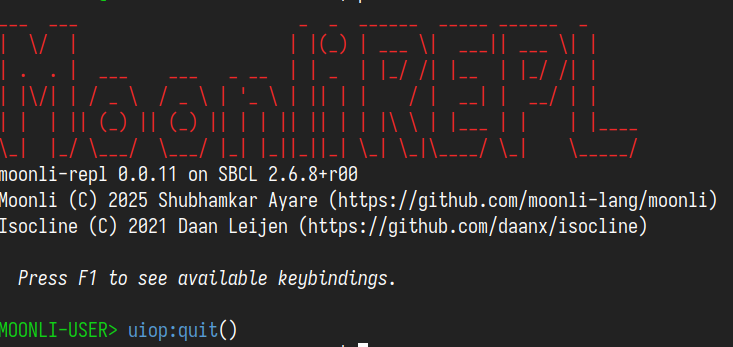
You can install common lisp packages from the prefix.dev channel: https://prefix.dev/channels/@common-lisp/common-lisp
Optionally, you can also install the lisp package manager quicklisp with
pixi add ql-https
To install a package, you can
pixi run moonli --funcall ql:quickload osicat
Although, Moonli’s curated libraries included with the binary should cover the common cases. So, ql-https should not be required.
To run a script
pixi run moonli /path/to/script.moonli
If you have an asdf package in the current directory, then you can start moonli with the project
Updating moonli will be as simple as
pixi upgrade moonli
Without pixi (manual download)
Grab a binary from the latest release. If you want an interactive REPL as in the above gif, grab the binaries with “repl” or “ciel” in their name.
In case of any installation issues, please create an issue on github or gitlab.
In this case, quicklisp will need to be installed manually and updating Moonli will also have to be manual.
Method 2: From fresh compilers - If you want to hack on Moonli
With pixi
Install pixi.
Windows users should also install git for bash
Clone the repository and change directory:
git clone https://github.com/moonli-lang/moonli && cd moonliUse pixi:
pixi run sbcl --no-userinit --eval '(asdf:load-system "moonli/repl")' --eval '(moonli/repl:main)'OR
pixi -q run moonli-repl
You can use pixi run sbcl to use as the binary from other editors like Emacs or VS Code. Emacs has a moonli-mode.el and VS Code has Alive Moonli.
Without pixi
Step 0. Install a package manager for your OS
Mac OS: brew
/bin/bash -c "$(curl -fsSL https://raw.githubusercontent.com/Homebrew/install/HEAD/install.sh)"
Windows:
Step 2. Install ql-https
ql-https sets up the Common Lisp library manager quicklisp with https support. It can be installed simply as:
export LISP=sbcl
curl https://raw.githubusercontent.com/rudolfochrist/ql-https/master/install.sh | bash
This will also edit the compiler init file (eg. ~/.sbclrc) to load ql-https at startup.
Step 3. Install Moonli
3.1. Obtain the source
git clone https://github.com/moonli-lang/moonli
3.2. Start the REPL
sbcl --eval '(ql:quickload "moonli/repl")' --eval '(moonli/repl:main)'
Optionally, with CIEL
sbcl --eval '(asdf:load-system "moonli/ciel")' --eval '(moonli/repl:main)'
3.3a. (Optional) Building basic binary
The following should create a moonli binary in the root
directory of moonli.
sbcl --eval '(asdf:make "moonli")'

./moonli --help
A basic moonli transpiler over SBCL
Available options:
  -h, --help                 Print this help text
  -l, --load-lisp ARG        Load lisp file
  -m, --load-moonli ARG      Load moonli file
  -t, --transpile-moonli ARG
                             Transpile moonli file to lisp file
3.3b. (Optional) Build REPL
The following should create a moonli.repl binary in
the root directory of moonli.
sbcl --eval '(asdf:make "moonli/repl")'
3.3c. (Optional) Build REPL with CIEL
The following should create a moonli.ciel binary in
the root directory of moonli.
sbcl --eval '(asdf:make "moonli/ciel")'
Step 4. Set up VS Code or Emacs
Install VS Code or VSCodium if they are not already installed.
Once the editor is installed, install the Alive Moonli extension.
If you are familiar with Emacs, you can also use moonli-mode.el.
3 - Tutorial
To install, see the Installation page.
To run the REPL use
moonli
or
pixi run moonli
To run Moonli scripts, use
moonli /path/to/script.moonli
or
pixi run moonli /path/to/script.moonli
You can see the available options with --help.
$ pixi run moonli --help
A full-featured Moonli REPL

Usage: moonli [-h|--help] [-v|--version] [-n|--no-init] [--history-file ARG]
              [-l|--load ARG] [-t|--transpile ARG] [-e|--eval ARG] [-f|--funcall ARG]
              [--values-separator ARG] [-d|--enable-debugger] [-s|--silent] [--no-isocline] [--lisp] script-1 script-2 ...

Available options:
  -h, --help             Print this help and exit.
  -v, --version          Show the version info and exit.
  -n, --no-init          Skip to load init file.
  --history-file ARG     Specifies which history file to use. If unspecified, this is the .moonli-repl file in $HOME directory.
  -l, --load ARG         Load a file
  -t, --transpile ARG    Transpile moonli file to lisp file
  -e, --eval ARG         Eval a form
  -f, --funcall ARG      Call a function with given arguments. For example, -f uiop:strcat hello world
  --values-separator ARG String to use as the separator between multiple values
  -d, --enable-debugger  Enable debugger: print error and drop into the debugger
  -s, --silent           Don't print logo and program information
  --no-isocline          Start a dumb terminal without isocline
  --lisp                 Start in lisp mode
If you are already familiar with Python, you may be able to learn faster from this page.
Common Lispers can refer to this page.
The rest of the below pages present a conceptual introduction to Moonli.
3.1 - 0. Evaluation
Starting Moonli either using the included binary or using VS Code will start a Read–Eval–Print Loop (REPL).
In VS Code, you will need to switch to a separate tab that contains the REPL. TODO: Elaborate more on evaluation in VS Code.
MOONLI-USER>
A REPL is how many interactive programming languages work. It’s a simple cycle: the computer reads what you type, evaluates it (figures out what it means and runs it), prints the result, and then loops back to wait for your next command. For example, if you type defparameter x = 5 in the REPL, it evaluates it. It binds the variable x to the value 5.
MOONLI-USER> defparameter x = 5
[OUT]: x

MOONLI-USER>
Next, if you type x, it evaluates x to return the value 5.
MOONLI-USER> x
[OUT]: 5
This loop makes programming feel conversational – you can test ideas instantly, explore code step by step, and see exactly how the language thinks and responds.
For any input, you can prevent evaluation by prefixing it with $. This is known as quote-ing.
MOONLI-USER> $x
[OUT]: x
3.2 - 1. Literal Objects
In a programming language, a literal object is something the evaluator doesn’t need to compute—it already is its own value. When the REPL reads a literal like 5, "hello", or t, the eval step simply returns it unchanged, because it directly represents itself.
For example, since 5 is already a number:
MOONLI-USER> 5
[OUT]: 5
By contrast, when you type an expression like 2 + 3, the result is a new value obtained through the process of evaluation. Literals skip that process entirely.
MOONLI-USER> 2 + 3
[OUT]: 5
Moonli has several kinds of literal objects.
Literal Objects in Moonli
Symbols
A symbol is a name that represents something else, like a label attached to a value or concept. In Moonli, symbols are the basic building blocks of code.
For example, recall the x that you typed at the REPL. It was a symbol. When you had quoted the symbol x, Moonli returned the symbol itself.
MOONLI-USER> $x
[OUT]: x
A special kind of symbols that do not require to be quoted are keywords.
MOONLI-USER> :i-am-a-keyword
[OUT]: :i-am-a-keyword
However, keywords require to be prefixed with a colon :. Note also that symbols in Moonli can contain hyphens.
We will look at symbols in more detail in the next chapter.
Numbers
Recall from high school mathematics, that there can be different kinds of numbers, like integers, and real numbers. Programming languages can also represent different kinds of numbers. Two important ones include integers and floats.
Integers are whole numbers without fractions – like -3, 0, or 42. They’re exact and good for counting or discrete steps.
MOONLI-USER> 42
[OUT]: 42
Floating-point numbers (or floats) represent real numbers that may include decimals – like 3.14 or -0.001. They’re useful for measurements or continuous values but can lose precision because they’re stored in binary form.
When evaluated, both kinds of numbers are literal objects – they evaluate to themselves. So typing 3.14 in a REPL simply returns 3.14, already fully evaluated.
MOONLI-USER> 3.14
[OUT]: 3.14
MOONLI-USER> -0.001
[OUT]: -0.001
Note that it is important that there is no space between - and 0.001 for Moonli to understand it as -0.001.
Strings
Strings are sequences of characters used to represent text – like “hello”, “42”, or “Moonli rocks!”. They’re written between quotation marks so the evaluator knows they’re text, not symbols or code.
MOONLI-USER> "Moonli rocks!"
[OUT]: "Moonli rocks!"
When the REPL reads a string, it treats it as a literal object, meaning it already represents its own value and needs no further evaluation. For example, typing "cat" simply returns "cat".
MOONLI-USER> "cat"
[OUT]: "cat"
Strings can contain letters, digits, spaces, or even special symbols, and most languages let you combine (concatenate) or inspect them with built-in functions. They’re essential for displaying messages, storing words, or communicating with users.
While symbols are useful for working with code, strings are useful for working with text.
Characters
Characters are the building blocks of strings. Each string is a sequence of characters. An individual character can be input to the REPL using single quotation marks.
MOONLI-USER> 'a'
[OUT]: #\a
3.3 - 2. Symbols, Variables, and Values
A critical aspect of programming is building abstractions. The first step to such abstractions involves using variables to stand in for literal values that we studied in the last section.
Programmatically, variables are symbols that can be eval-uated to obtain the value they are bound to. You have already seen a few symbols. Below, $x and :i-am-a-keyword input two symbols.
MOONLI-USER> $x
[OUT]: x
MOONLI-USER> :i-am-a-keyword
[OUT]: :i-am-a-keyword
Recall that the $-prefix was used to quote the symbols to prevent their eval-uation. (Recall the initial section on evaluation.) Recall also that keywords are symbols that begin with a colon :, and they do not need to be quoted. What happens when you omit the $-prefix for non-keywords?
MOONLI-USER> x
unbound-variable: The variable x is unbound.
This time, instead of receiving the output, we received an error message. It tells us that the REPL does not know how to evaluate x. We can provide REPL this information by defparameter.
MOONLI-USER> defparameter x = 42
[OUT]: x
This tells the REPL to bind the symbol x to the literal value 400. After this, if you type the unquoted x, even without the $-prefix, you do not receive an error. Instead, the REPL tells you the value that the symbol is bound to.
MOONLI-USER> x
[OUT]: 42
You can check whether a symbol is bound to using boundp. The output t means true. Indeed the symbol x is bound to some value!
MOONLI-USER> boundp($x)
[OUT]: t
On the other hand, unless you had defined the value of y using defparameter beforehand, the symbol y would be unbound. This is indicated by the output nil which means false. The symbol y is not bound to any value.
MOONLI-USER> boundp($y)
[OUT]: nil
The idea of a variable is conceptual. It is something we use to talk about or describe programming. On the other hand, for Moonli (and for Lisps in general), symbols are programmatic objects that we can manipulate. We will revisit this idea later.
The bindings of the variables can be updated. In other words, variables can be assigned new values. This is a frequent part of programming. For example:
MOONLI-USER> x = 84
[OUT]: 84
MOONLI-USER> x
[OUT]: 84
Global and Local
Variables defined using defparameter are global variables.
Global variables are accessible from anywhere within the program. This means anyone can assign them new values or change the values they are assigned to. So, if used frequently, programs can be hard to understand because it will be difficult to figure out where a particular variable is being reassigned.
That is why, the more common approach to using a variable is by using local variables. In Moonli, These can be defined using let and let+. We show an example below.
MOONLI-USER> let a = 1, b = 2:
  a + b
end
[OUT]: 3
MOONLI-USER> let+ a = 1, b = 2:
  a + b
end
[OUT]: 3
One difference between let and let+ is that let can be described as performing parallel binding, while let+ can be described as performing sequential binding.
The following works with let+ but not let.
MOONLI-USER> let+ a = 1, b = a:
  a + b
end
[OUT]: 2

MOONLI-USER> let a = 1, b = a:
  a + b
end
; in: progn (let ((a 1) (b a))
;          (+ a b))
;     (MOONLI-USER::B MOONLI-USER::A)
;
; caught warning:
;   undefined variable: moonli-user::a
;
; compilation unit finished
;   Undefined variable:
;     a
;   caught 1 WARNING condition
unbound-variable: The variable a is unbound.
With let, we get the error that the variable a is unbound. This is because let binds all its variables as if they are made at once. In let a = 1, b = a, we are asking the REPL to bind b to its value at the same time as a. But the value of b is told to be a. At that point in the program, the value of a is unavailable, resulting in the error.
The algorithm for let can be written as:
- Compute the values of all the expressions assigned to the variables, without assigning them.
- Bind the variables to the values of the respective expressions
- Execute the body. (In this case the body is simply
a + b. But it could be any valid Moonli code.) - Unbind the variables.
In contrast the algorithm for let+ can be written as:
- Bind the first variable to the value of the corresponding expression.
- Bind the second variable to the value of the corresponding expression. … Repeat the same for all variables …
- Execute the body. (In this case the body is simply
a + b. But it could be any valid Moonli code.) - Unbind the variables.
It is generally recommended to use let since it often allows you to think about the value of each variable independently of the other variables. But when you can’t use let, feel free to use let+.
Global variables should have earmuffs
Suppose you see an arbitrary variable in some code. How can you tell whether it is global or local? Different programming languages or projects have different conventions. For Moonli (and Lisps), it is recommended that global variables should have earmuffs *...* around them.
Thus one should write
MOONLI-USER> defparameter *x* = 42
[OUT]: *x*
MOONLI-USER> *x*
[OUT]: 42
Instead of
MOONLI-USER> defparameter x = 42
[OUT]: x
Unbinding using makunbound
One can remove the binding of a variable using makunbound:
MOONLI-USER> makunbound($x)
[OUT]: x
MOONLI-USER> x
unbound-variable: The variable x is unbound.
MOONLI-USER> boundp($x)
[OUT]: nil
While it is okay to use makunbound in the REPL, it is recommended to avoid using it in the code you write and save in files and share with others. Creation, deletion, re-creation is harder to understand that a single creation. Use local variables wherever possible.
Variables and Abstraction
Suppose you had a program to multiply 23 with itself thrice. You program would then be a single file with the following single line of code:
print(23 * 23 * 23)
Now, suppose you wanted to change this program to multiply 47 by itself thrice. You’d need to make changes in three places. The new code would look like this.
print(47 * 47 * 47)
But, with the use of variables, you can achieve the same with just a single change!
The following program multiples 23 with itself thrice:
let x = 23:
  print(x * x * x)
end
It can be changed to multiply 47 with itself thrice by making a single change!
let x = 47:
  print(x * x * x)
end
Instead of saying “multiply 23 by itself”, now you are saying “multiply x by itself (whatever x may be)”. This replacement of something specific (23) by something general (a variable x) is essentially abstraction.
Abstractions can help to keep code simple – it allows code to be reused.
3.4 - 3. Functions and Abstractions
Besides variables that we studied in the last chapter, the second key element to abstraction are functions.
Even if you write abstract code such as the one in the last chapter, you will need to write it again and again for different values of x:
let x = 23:
  print(x * x * x)
end

let x = 47:
  print(x * x * x)
end
Functions help us get rid of this code repetition and further enable reuse. Functions are characterized by parameters, which are essentially lists of variables. For example, the below code defines a function multiply-thrice that has a single parameter x:
defun multiply-thrice(x):
  print(x * x * x)
end
It takes this parameter, multiplies it with itself thrice, and returns the result.
MOONLI-USER> multiply-thrice(23)

12167
[OUT]: 12167
MOONLI-USER> multiply-thrice(47)

103823
[OUT]: 103823
Thus, the lines of code multiply-thrice(23) or multiply-thrice(47) achieves the same effect as the two blocks of let we used earlier.
The full code looks something like the following:
defun multiply-thrice(x):
  print(x * x * x)
end

multiply-thrice(23)
multiply-thrice(47)
There are many built-in functions that Moonli provides. print is one such function. You may have noticed that the result is printed twice in the REPL. This is because of print. If you omit the print, the REPL would look something like this:
MOONLI-USER> defun new-multiply-thrice(x):
  x * x * x
end
[OUT]: new-multiply-thrice
MOONLI-USER> new-multiply-thrice(23)
[OUT]: 12167
MOONLI-USER> new-multiply-thrice(47)
[OUT]: 103823
A function can span multiple lines of code. By default, it returns the value resulting from the evaluation of the last line of code (excluding end). For our new-multiply-thrice, this refers to the value of x * x * x. For our old multiply-thrice, it would have been print(x * x * x).
print(x * x * x) first multiplies x with itself thrice. Prints the result. And returns it. You can see this in action if you instantiate x with a concrete value such as 23 or 47:
MOONLI-USER> print(23 * 23 * 23)
12167
[OUT]: 12167
MOONLI-USER> print(47 * 47 * 47)
103823
[OUT]: 103823
Since print(x * x * x) was the last line of muliply-thrice, the return value of multiply-thrice is the same as the return value of print(x * x * x).
MOONLI-USER> multiply-thrice(23)

12167
[OUT]: 12167
MOONLI-USER> multiply-thrice(47)

103823
[OUT]: 103823
Similarly, the following code defines an add function that takes in two parameters x and y. It multiplies the values of these parameters and returns the result.
MOONLI-USER> defun add(x,y):
  x + y
end
[OUT]: add
MOONLI-USER> add(2,3)
[OUT]: 5
Error: Invalid number of arguments
What happens if you call add with just a single argument?
MOONLI-USER> add(2)
simple-program-error: invalid number of arguments: 1
Backtrace for: #<SB-THREAD:THREAD tid=259 "main thread" RUNNING {7005490613}>
0: (MOONLI-USER::ADD 2) [external]
1: (SB-INT:SIMPLE-EVAL-IN-LEXENV (MOONLI-USER::ADD 2) #<NULL-LEXENV>)
2: (SB-INT:SIMPLE-EVAL-IN-LEXENV (PROGN (MOONLI-USER::ADD 2)) #<NULL-LEXENV>)
...
The first line of this says that there was an error in the code you asked the REPL to evaluate. In particular, the code has invalid number of arguments. Similarly, what happens when if you call multiply-thrice with three arguments? This results in a similar error:
MOONLI-USER> multiply-thrice(2,3,4)
simple-program-error: invalid number of arguments: 3
Backtrace for: #<SB-THREAD:THREAD tid=259 "main thread" RUNNING {7005490613}>
0: (MOONLI-USER::MULTIPLY-THRICE 2 3 4) [external]
1: (SB-INT:SIMPLE-EVAL-IN-LEXENV (MOONLI-USER::MULTIPLY-THRICE 2 3 4) #<NULL-LEXENV>)
...
Calling other functions
Notice how you called print function from inside the multiply-thrice function? Calling other functions from one function is very common. You can also write another function that uses both new-multiply-thrice and add:
defun multiply-thrice-and-add(x,y):
  let x-cubed = new-multiply-thrice(x),
      y-cubed = new-multiply-thrice(y):
    add(x-cubed, y-cubed)
  end
end
The return value of multiply-thrice-and-add is determined by add(x-cubed, y-cubed) since that is the last line of code (excluding end).
You can see what this function is doing in more detail by printing the values of the variables in intermediate steps. This can be done using the format function. We will explain format in more detail later:
defun multiply-thrice-and-add(x,y):
  let x-cubed = new-multiply-thrice(x),
      y-cubed = new-multiply-thrice(y):
    format(t, "x-cubed has value: ~a~%", x-cubed)
    format(t, "y-cubed has value: ~a~%", y-cubed)
    add(x-cubed, y-cubed)
  end
end
You can see the intermediate steps:
MOONLI-USER> multiply-thrice-and-add(2,3)
x-cubed has value: 8
y-cubed has value: 27
[OUT]: 35
Usually, writing something as a function instead of repeating it needlessly everywhere is helpful because it enables reuse.
3.5 - 4. Packages and Namespaces
Suppose you write some code and share it with other people. Or you want to use code written by other people. It may happen that both of you are using the same function names but are doing different things. For example, your process-data function might be doing something different that somebody else’ process-data function.
To deal with this, most modern languages implement the concept of namespaces. The implementation of namespaces in Moonli (and Common Lisp) is made by a data structure called package. One way to find or identify packages is using strings.
MOONLI-USER> find-package("CL")
[OUT]: #<package "COMMON-LISP">
MOONLI-USER> find-package("COMMON-LISP")
[OUT]: #<package "COMMON-LISP">
MOONLI-USER> find-package("MOONLI")
[OUT]: #<package "MOONLI">
The above says that "CL" and "COMMON-LISP" are both two different names of the same package. On the other hand, the string "MOONLI" identifies a different package. Note that package names are case sensitive. This means "moonli" and "MOONLI" identify different packages. In fact, if you are following the tutorial, so far there is no package named "moonli", but only the package named "MOONLI":
MOONLI-USER> find-package("moonli")
[OUT]: nil
A package maps symbol names to symbols. Symbol names are again strings. You can use find-symbol to find a symbol in a particular package. For example, the following finds the symbol named "LIST" in package named "CL".
MOONLI-USER> find-symbol("LIST", "CL")
[OUT]: list
:external
Note that the second argument to find-symbol can be either a package name (a string) or the package itself, for example:
MOONLI-USER> let pkg = find-package("CL"):
  print(pkg)
  find-symbol("LIST", pkg)
end

#<package "COMMON-LISP">
[OUT]: list
:external
In fact, the second argument is optional. When you do not supply it, find-symbol finds the symbol in the package bound to the special variable *package*.
MOONLI-USER> find-symbol("LIST", "MOONLI-USER")
[OUT]: list
:external
MOONLI-USER> *package*
[OUT]: #<package "MOONLI-USER">
MOONLI-USER> find-symbol("LIST")
[OUT]: list
:external
You may wonder whether the symbol list above belongs to the package named "MOONLI-USER" or to the package named "COMMON-LISP" given that they look identical. To identify the package which a symbol belongs to, you can use the function symbol-package. Note that the symbol list is quoted by prefixing it with $, since we want to refer to the symbol itself and not the value it is bound to:
MOONLI-USER> symbol-package($list)
[OUT]: #<package "COMMON-LISP">
This says that the symbol list belongs to the package "COMMON-LISP". To confirm:
MOONLI-USER> let sym = find-symbol("LIST", "MOONLI-USER"):
  symbol-package(sym)
end
[OUT]: #<package "COMMON-LISP">
Indeed, the symbol named "LIST" in package "MOONLI-USER" has as its package "COMMON-LISP"!
In fact, packages provide much more than simple mapping. They provide a way to organize the symbols themselves. Packages also have the notion of internal and external symbols. Above, the second return value :external shows that the list symbol is external to the respective packages.
While writing your own code, you should define your own package as the first step. You can define new packages using defpackage. This takes in a number of options, a few of them include:
:use: which specifies preexisting packages the new package should use. This means that all the external symbols of these packages will be used in the new package.:export: which specifies which should be the external symbols of this new package. These are the symbols that you want to make available to other users of your code.
MOONLI-USER> defpackage "TUTORIAL"
  :use "CL", "MOONLI-USER";
  :export "ADD";
end
[OUT]: #<package "TUTORIAL">
This specifies that the new package named "TUTORIAL" uses the external symbols of the existing packages "CL" and "MOONLI-USER". It also specifies that the package "TUTORIAL" has a symbol named "ADD" as an external symbol. We can switch to the new package using in-package.
MOONLI-USER> in-package tutorial
[OUT]: #<package "TUTORIAL">
TUTORIAL>
You will notice that the prompt MOONLI-USER> has changed to TUTORIAL>. The prompt also indicates the which package you are currently in. Once you have defined a new package, you can use in-package to switch to that package (or any other) no matter in which file you are in. This does not require quoting, because in-package is a special form (also called a macro).
You may note that we had said package names are case sensitive. Yet, we used the symbol tutorial to refer to the package named "TUTORIAL". In Moonli, the symbols are related to their names by case inversion. This is for backward compatibility with Common Lisp and to enable the use of Common Lisp libraries with minimal disruption. The Common Lisp convention is to distinguish symbols not by their case, but by making the names themselves distinct regardless of case. However, Moonli wants to provide better names while interfacing with C and Python libraries, thus, the Moonli parser is case sensitive.
The external symbols from another package can be used by prefixing the symbol name with the package name and using a colon : as a separator (without spaces). For example, the function ensure-list in package alexandria takes any object, and if it is not a list, it wraps it into a list. You can access this symbol using alexandria:ensure-list.
TUTORIAL> listp((1,2,3))
[OUT]: t
TUTORIAL> alexandria:ensure-list((1,2,3))
[OUT]: (1 2 3)
TUTORIAL> alexandria:ensure-list("a")
[OUT]: ("a")
TUTORIAL> alexandria:ensure-list(42.0)
[OUT]: (42.0)
3.6 - 5. Systems and Libraries
Once you have someone else’ code, you need to tell the REPL how to load their code. Or when you share your code with someone, you also need to tell them how to tell their REPL to load your code. At its simplest, the shared code is in the form of a single file. You can load a Moonli file using moonli:load-moonli-file and Common Lisp files using cl:load:
MOONLI-USER> moonli:load-moonli-file("my-code.moonli")
...
MOONLI-USER> cl:load("my-code.lisp")
...
However, often times, shared code is in the form of multiple files. The shared code is essentially what is called a library. Different programming languages have different ways of defining or sharing libraries. In Moonli (and Common Lisp), libraries and tools for managing them are implemented in ASDF.
ASDF stands for Another System Definition Facility and is the standard build-and-load system for Common Lisp. It lets you group files into systems, declare dependencies (on other libraries), and provide metadata (author, version, license, etc.).
If you’re writing a library (or project) that others might use — or you want to reuse your own code across different projects — you put an .asd file at the root describing that system.
Anatomy of a system definition
At the root of your library directory, create a file named my-awesome-lib.asd:
;;; my-awesome-lib.asd
(defsystem "my-awesome-lib"
  :version "0.1.0"
  :author "Your Name <you@example.com>"
  :description "Utilities for awesome tasks"
  :license "MIT"
  :depends-on ("alexandria")
  :serial t
  :pathname "./"
  :components ((:moonli-file "package")
               (:moonli-file "core")
               (:moonli-file "utils")))
Here:
- “my-awesome-lib” is the system name. ASDF expects the file my-awesome-lib.asd.
:componentslists the source files (without extension). ASDF will compile and load them in the right order according to dependencies.- You can declare external dependencies via
:depends-on, naming other ASDF systems your code needs. For example, the above system (= library) says that it depends on a library called “alexandria”.
Optionally you can include metadata such as version, author, license, long description. This is useful for distribution/packaging if you share code.
Putting code and system together
The above definition corresponds to the following directory structure:
my-awesome-lib/
  ├── my-awesome-lib.asd
  ├── package.moonli       ;; package definition
  ├── core.moonli          ;; core functions
  └── utils.moonli         ;; utility functions
Loading and using your system
Once your .asd is in a directory ASDF can find, you can load your library from the REPL:
MOONLI-USER> asdf:load-system("my-awesome-lib")
...
ASDF ensures that the dependencies (in this case, alexandria) and their dependencies are loaded exactly once in the right order. Once the dependencies are loaded, ASDF loads the :components of your system in :serial order. This means, ASDF will first load package.moonli, then core.moonli and finally utils.moonli.
That will compile and load the system. From there you can (in-package :my-awesome-lib) (or whatever package you defined) and use its functions.
Systems and Packages
Note that there are two senses of systems. Firstly, they are a collection of moonli (or lisp) files, along with an .asd file. However, this information is also available within the language in the form of an object:
MOONLI-USER> asdf:find-system("my-awesome-lib")
[OUT]: #<system "my-awesome-lib">

MOONLI-USER> describe(*)

#<system "my-awesome-lib">
  [standard-object]

Slots with :instance allocation:
  name                           = "sample-asdf"
  source-file                    = #P"/Users/user/moonli/my-awesome-lib/my-awesome-lib.asd"
  definition-dependency-list     = nil
  definition-dependency-set      = {..
  version                        = nil
  description                    = nil
  long-description               = nil
  sideway-dependencies           = nil
  if-feature                     = nil
  in-order-to                    = nil
  inline-methods                 = nil
  relative-pathname              = #P"/Users/user/moonli/my-awesome-lib/"
  absolute-pathname              = #P"/Users/user/moonli/my-awesome-lib/"
...
You can reload the library by supplying additional option :force as t:
MOONLI-USER> asdf:load-system("my-awesome-lib", :force, t)
...
Configuring where ASDF looks for systems
By default, ASDF will search some standard directories (e.g. ~/common-lisp/) for .asd files.
If you prefer a custom layout, you can configure ASDF’s “source registry” by creating a configuration file (e.g. in ~/.config/common-lisp/source-registry.conf.d/) that tells ASDF to scan your custom code directories.
asdf.common-lisp.dev
Once configured, ASDF will find your libraries automatically — so you just load them by name, without worrying about full paths.
Systems and Packages
It’s useful to remember the conceptual distinction:
- A package (in Moonli or Common Lisp) groups symbols (names)
- A system (in ASDF) groups files, code, dependencies, metadata
You use packages to manage symbol namespaces in code, and ASDF systems to manage your project’s files and dependencies.
Package Managers
ASDF defines how systems are organized and loaded, but it doesn’t tell you where to get them. This is the job of library managers. Below, we list a few of them
1. Quicklisp - The Standard Library Manager
Quicklisp is the de-facto ecosystem for installing and managing Common Lisp libraries. It provides:
- A large, curated set of stable libraries
- Automatic dependency resolution
- One-line installation and loading
- A reproducible snapshot each month
Once you have quicklisp installed and loaded, you can install new libraries simply by quickload-ing them:
ql:quickload("dexador")
Quicklisp automatically configures ASDF to locate the offline library after it is downloaded. Thus, ASDF knows where the system lives, so you can use it in your own project’s :depends-on.
2. Ultralisp - A Fast, Community-Driven Repository
Ultralisp is a complementary distribution to Quicklisp.
It focuses on:
- Very fast updates (often every few minutes)
- Automatically including systems from GitHub/GitLab
- A broader, more experimental set of libraries
After installing quicklisp, you can install ultralisp simply by:
ql-dist:install-dist("http://dist.ultralisp.org/")
When to use Ultralisp
Use it when:
- You want bleeding-edge versions of a library
- You need something not yet in Quicklisp
- You want Quicklisp-style automatic dependency handling but with faster turnaround
Moonli developers can publish their own libraries to Ultralisp to reach users quickly.
3. OCICL - OCI-based ASDF system distribution
OCICL (pronounced osicl) is a more modern alternative to quicklisp and ultralisp. In addition to loading libraries, it also provides tools to version-lock the libraries.
Summary
| Tool | Purpose | When to Use |
|---|---|---|
| ASDF | Build system and system loader | Every project; defines your system structure |
| Quicklisp | Stable, curated dependency manager | Most users; everyday library installation |
| Ultralisp | Rapid updates, large community index | Fast-moving libraries; newest versions |
| OCICL | Modern alternative that also allows dependency-locking | Providing reproducible build environments |
3.7 - 6. Classes and Methods
Recall that while discussing literal objects, we discussed different kinds of literal objects. Each object in Moonli (and Common Lisp) has a class.
class-of("hello")
#=> #<built-in-class simple-character-string>

class-of(2)
#=> #<built-in-class fixnum>

class-of(42.0)
#=> #<built-in-class single-float>
This corresponds to how the object is implemented in the programming environment. Classes have instances. For example, above,
- the string
"hello"is an instance of the built-in classsimple-character-string 2is an instance of the built-in classfixnum42.0is an instance of the built-in classsingle-float
Most programming languages provide a way for the user to define their own classes. A paradigm of programming that centers around classes and objects is known as Object-Oriented Programming. This involves defining new classes of objects that mimic the structure of the real-world you want to represent.
For example, suppose we want to program basic geometry. We can start with a class rectangle:
defclass rectangle():
  slots:
    length:
      accessor: height,
      initarg: :height;
    breadth:
      accessor: breadth,
      initarg: :breadth;
  end
end
This creates a class with two slots: height and breadth.
We can create an instance using the following. Note that :height and :breadth were specified as the respective initarg.
defparameter *shape-1* = make-instance($rectangle, :height, 6, :breadth, 3)
And access the slots using the specified accessor.
height(*shape-1*)
#=> 6
breadth(*shape-1*)
#=> 3
Methods and generic functions
You may want some functions to have different behaviors depending on the class of the object they are called with. For example, area of a triangle may be computed differently than a square, which in turn may be computed differently than a circle.
We can achieve this by using generic functions. A generic function can be declared using:
defgeneric area(shape)
This introduces the function name but not its behavior yet.
Defining methods
A method specializes a generic function on specific classes. Below, the generic function area is specialized with the first argument shape being of class rectangle.
defmethod area(shape :: rectangle):
  height(shape) * breadth(shape)
end
We can call it just like any other normal function.
area(*shape-1*)
#=> 18
Moonli dispatches to the correct method based on the argument’s class.
Extensibility
We can also define a class and a method corresponding to a circle class:
defclass circle():
  slots:
    radius:
      initarg: :radius,
      accessor: radius;
  end
end

defmethod area(shape :: circle):
  pi * radius(shape) ^ 2
end
pi is a constant provided by Moonli (and Common Lisp).
pi
#=> 3.141592653589793d0
defparameter *shape-2* = make-instance($circle, :radius, 7)

area(*shape-2*)
Note how we were able to extend the generic function area without touching the earlier implementations. This extensibility is one of the crucial benefits provided by generic functions.
Multiple dispatch
Moonli (and Common Lisp) support multiple dispatch. This means methods can specialize on not just one parameter, like Python and Java do, but multiple parameters at once(!)
# Check whether shape-in fits inside shape-out
defgeneric fits-inside-p(shape-in, shape-out)
The following specialized fits-inside-p on rectangle and rectangle.
defmethod fits-inside-p(s1 :: rectangle, s2 :: rectangle):
  let h1 = height(s1), h2 = height(s2),
      b1 = breadth(s1), b2 = breadth(s2):
    if ((min(h1,b1) <= min(h2,b2))
        and (max(h1,b1) <= max(h2,b2))):
      t
    else:
      nil
    end
  end
end
While the following specializes fits-inside-p on rectangle and circle:
defmethod fits-inside-p(s1 :: rectangle, s2 :: circle):
  let h = height(s1), b = breadth(s1), r = radius(s2):
    let d = sqrt(h ^ 2 + b ^ 2):
      if (d <= 2 * r):
        t
      else:
        nil
      end if
    end let
  end let
end defmethod
Inheritance
Classes can inherit slots from its super classes. To help us organize our code better, we can define a shape class with a slot label which we want to be common across all shapes.
defparameter *shape-index* = -1;

defclass shape():
  slots:
    index:
      initarg: :index,
      reader: index,
      initform: incf(*shape-index*);
  end
end
We can now add this label slot to the rectangle and circle class above by redefining rectangle and circle to have shape as one of its superclasses.
Dynamic Redefinition
Before we see how to specify shape as one of the direct superclass of rectangle, let us briefly ponder over *shape-1 we had defined earlier:
describe(*shape-1*)

#<rectangle {700A674383}>
  [standard-object]

Slots with :instance allocation:
  length                         = 6
  breadth                        = 3
What do you think will happen to the rectangle instance bound to *shape-1* if we redefine rectangle?
We can redefine rectangle using:
defclass rectangle(shape):
  slots:
    length:
      accessor: height,
      initarg: :height;
    breadth:
      accessor: breadth,
      initarg: :breadth;
  end
end
This specifies shape as one of the direct superclasses of rectangle class.
Now, if you check the object bound to *shape-1* once more, you will find that the index slot has already been added!
describe(*shape-1*)

#<rectangle {700A674383}>
  [standard-object]

Slots with :instance allocation:
  index                          = 0
  length                         = 6
  breadth                        = 3
We can repeat the same with the circle class.
Check the object bound to
*shape-2*before update:describe(*shape-2*) #<circle {700A497AB3}> [standard-object] Slots with :instance allocation: radius = 7Update the
circleclass to includeshapein its list of direct superclasses.defclass circle(shape): slots: radius: initarg: :radius, accessor: radius; end endCheck the object bound to
*shape-2*after update:describe(*shape-2*) #<circle {700A497AB3}> [standard-object] Slots with :instance allocation: index = 1 radius = 7
Now that shape is a superclass of circle and rectangle, you can also add other slots that would be common across all shapes to the shape class. Perhaps, this could be center-location, or color, or something else. These changes will be automatically propagated to all instances of the subclasses of shape. You do not need to restart your Moonli REPL or load all files again! You can play with classes and their instances very much on the fly.
Of course, once you have reached a state where the code in the REPL reflects what you had in mind, you also want to make sure the code is written down in the files in appropriate order. This is necessary both for sharing it with others, as well as for your own self when you restart the REPL.
But, by and large, Moonli (and Common Lisp) provide a very interactive object system. There are also a large number of options for more fine-grained control for object updation as well as initiation. But these are outside the scope of this tutorial, and readers are requested to consult to appropriate resources to learn and explore more on these topics.
Method modifiers
A last point of note would be method modifers. Methods can be modified by prefixing their names with :before, :after, and :around modifiers to customize method behavior.
Example:
defmethod :before fits-inside-p(s1, s2):
  format(t, "Checking if ~S fits inside ~S...", s1, s2)
end

defmethod :after fits-inside-p(s1, s2):
  format(t, "Done~%")
end
:before methods run before the main methods. :after runs after the main methods.
Metaclasses
One can find the class associated with a symbol using find-class:
find-class($string)
#=> #<built-in-class common-lisp:string>

find-class($rectangle)
#=> #<standard-class rectangle>
Further, in Moonli (and Common Lisp), one can find the class of the class by using find-class followed by class-of.
class-of(find-class($string))
#=> #<standard-class built-in-class>

class-of(find-class($rectangle))
#=> #<standard-class standard-class>
Class of a class is called a metaclass. They define how the class itself behaves. We do not dive into metaclasses in this tutorial. But to note, many Common Lisp implementations (and thus, Moonli) provide what is called a Meta-Object Protocol, which can be used to modify the behavior of classes, their instances, and methods and generic functions.
Here, we merely point to the existence of metaclasses. The built-in-class is one metaclass and standard-class is another. In the next chapter, we will dive into objects and classes corresponding to the metaclass structure-class.
Summary
Moonli transpiles directly to Common Lisp’s CLOS:
- Methods belong to generic functions, not classes – encouraging extensible design.
- You get full multiple dispatch.
- Classes and methods can be redefined at the REPL.
- Multiple inheritance is allowed and sane.
- Method combination allows fine-grained customization of behavior.
Moonli gives you a simple, readable syntax while inheriting the dynamic power of the Lisp object system beneath it.
3.8 - 7. Structures and Performance
As we saw last, classes in Moonli (and Common Lisp) are very dynamic. A lot many things take place at run-time. Unfortunately, this also incurs a run-time cost.
In some cases, you may not need all that dynamicity, but may instead need better performance. This is achieved through structures.
A structure is a simple container for data. They have fixed fields and no multiple inheritance. Structure of instances of classes with metaclass structure-class. For example, the below defines an instance point of structure-class.
If you are using the Moonli REPL for trying out the code in this tutorial series, you should start the REPL with
--enable-debuggeroption for this tutorial. You can also do this by starting the REPL the usual way and then callingcl-repl:enable-debugger().
defstruct point:
  x = 0;
  y = 0;
end
This defines:
- a constructor
make-point(:x, …, :y, …) - accessors
point-x(obj)andpoint-y(obj) - a predicate
point-p - a printed representation
Creating a structure instance:
defparameter *point* = make-point(:x, 3, :y, 4)
Accessing fields:
point-x(*point*)
#=> 3

point-y(*point*)
#=> 4

point-p(*point*)
#=> t
Redefining structures
There’s no standard way to redefine structures. If you redefine point class to include a third slot for z, the existing instances as well as the code associated with the older (before update) class may behave unpredictably. This is quite unlike the classes that we discussed in the last chapter.
defstruct point:
  x = 0;
  y = 0;
  z = 0;
end
In fact, if you are using the Moonli REPL in its default settings, you will simply get an error message if you try to run the new definition of point:
warning: change in instance length of class point:
  current length: 3
  new length: 4
simple-error: attempt to redefine the structure-object class point incompatibly
              with the current definition
Backtrace for: #<SB-THREAD:THREAD tid=259 "main thread" RUNNING {70054D05F3}>
0: ((LAMBDA NIL :IN UIOP/IMAGE:PRINT-BACKTRACE))
1: ((FLET "THUNK" :IN UIOP/STREAM:CALL-WITH-SAFE-IO-SYNTAX))
2: (SB-IMPL::%WITH-STANDARD-IO-SYNTAX #<FUNCTION (FLET "THUNK" :IN UIOP/STREAM:CALL-WITH-SAFE-IO-SYNTAX) {1014D13BB}>)
...
On the other hand, if you have enabled the debugger either by running cl-repl:enable-debugger() or by starting Moonli REPL with --enable-debugger, you will be dropped into the debugger:
warning: change in instance length of class point:
  current length: 3
  new length: 4
attempt to redefine the structure-object class point incompatibly with the
current definition
 [Condition of type simple-error]

Restarts:
 0: [continue] Use the new definition of point, invalidating already-loaded
                   code and instances.
 1: [recklessly-continue] Use the new definition of point as if it were
                          compatible, allowing old accessors to use new
                          instances and allowing new accessors to use old
                          instances.
 ...

Backtrace:
 0: (sb-kernel::%redefine-defstruct #<sb-kernel:structure-classoid point> #<sb-kernel:layout (ID=376) for point {700A180063}> #<sb-kernel:layout for point, INVALID=:uninitialized {7007551CE3}>)
 1: (sb-kernel::%defstruct #<sb-kernel:defstruct-description point {70074B6DA3}> #(#<sb-kernel:layout for t {7003033803}> #<sb-kernel:layout (ID=1) for structure-object {7003033883}>) #S(sb-c:definition-source-location :namestring nil :indices 0))
 ...
The debugger has essentially paused code execution, and is waiting for you to select a restart. You can select the restart by pressing Ctrl + r and then pressing 0 or 1 (or another restart number). Suppose we select the restart numbered 0.
The redefinition of the point structure-class would proceed. However
*point*
#=> #<UNPRINTABLE instance of #<structure-classoid point> {700A37C8B3}>

point-p(*point*)
#=> nil
Unlike classes, where the redefinition of class resulted in a clean updation of instances, redefinition of structures requires a fair bit of manual work. To actually use the new definition of point structure-class, you will need to redefine the binding for *point*.
defparameter *point* = make-point(:x, 3, :y, 4)
*point*
#=> #S(point :x 3 :y 4 :z 5)

point-p(*point*)
#=> t
Performance
To actually compare the performance of classes and structures, let us define an equivalent class and a structure:
defclass point-class():
  slots:
    x:
      initarg: :x,
      accessor: class-x;
    y:
      initarg: :y,
      accessor: class-y;
  end
end

defstruct point-struct:
  x;
  y;
end
Then one can run a loop summing up the x and y a million times.
For the class:
let point = make-instance($point-class, :x, 3, :y, 4),
    num-iter = 1e9,
    sum = 0:
  time loop :repeat num-iter :do
    sum = sum + class-x(point) + class-y(point)
  end
  sum
end
Evaluation took:
  13.849 seconds of real time
  13.865638 seconds of total run time (13.843339 user, 0.022299 system)
  100.12% CPU
  0 bytes consed
For the structure:
let point = make-point-struct(:x, 3, :y, 4),
    num-iter = 1e9,
    sum = 0:
  time loop :repeat num-iter :do
    sum = sum + point-struct-x(point) + point-struct-y(point)
  end
  sum
end
Evaluation took:
  12.229 seconds of real time
  12.229539 seconds of total run time (12.215391 user, 0.014148 system)
  100.01% CPU
  0 bytes consed
At first, this looks comparable. However, one can specify the types of the structure slots:
defstruct point-struct:
  (x = 0) :: fixnum;
  (y = 0) :: fixnum;
end
Then
let point = make-point-struct(:x, 3, :y, 4),
    num-iter = 1e9,
    sum = 0:
  declare type(fixnum, sum)
  time loop :repeat num-iter :do
    sum = sum + point-struct-x(point) + point-struct-y(point)
  end
  sum
end
We are down to a third of the time!
Evaluation took:
  4.223 seconds of real time
  4.223535 seconds of total run time (4.219177 user, 0.004358 system)
  100.02% CPU
  0 bytes consed
Meanwhile, type specification on classes have little impact:
defclass point-class():
  slots:
    x:
      type: fixnum,
      initarg: :x,
      accessor: class-x;
    y:
      type: fixnum,
      initarg: :y,
      accessor: class-y;
  end
end
let point = make-instance($point-class, :x, 3, :y, 4),
    num-iter = 1e9,
    sum = 0:
  declare type(fixnum, sum)
  time loop :repeat num-iter :do
    sum = sum + class-x(point) + class-y(point)
  end
  sum
end
Evaluation took:
  15.313 seconds of real time
  15.305151 seconds of total run time (15.280037 user, 0.025114 system)
  100.01% CPU
  0 bytes consed
The gap becomes even more pronounced when one considers construction of new instances and more complex read or write operations.
In practice, there are projects such as static-dispatch and fast-generic-functions that attempt to overcome the performance limitations of generic functions and standard classes, trying to give you the best of both worlds. However, these are not standard. The standard way to obtain fast Moonli (or Common Lisp) code is to use structures.
Classes vs Structures
Classes are perfect for flexible, evolving designs. Structures are ideal for performance-critical code.
| Feature | Classes | Structures |
|---|---|---|
| Single inheritance | ✅ | ✅ |
| Multiple inheritance | ✅ | ❌ |
| Dynamic redefinition | ✅ | ❌ |
| Performance | ❌ | ✅ |
| Use with generic functions | ✅ | ✅ |
3.9 - 8. Types, Classes and Structures
So far, we have seen a number of types. Built-in types such as string, fixnum, symbol, as well as user-defined types such as point, shape, rectangle and `circle.
Classes – either standard-classes or structure-classes – and Types have a close correspondence. Every class defines a type. That is why, even though point, shape, etc were defined as classes, they are also types. Most types also have a corresponding class. The Common Lisp Hyperspec page on Integrating Types and Classes go into this in detail.
To begin with, one can check whether an object is of a particular type using typep.
typep(2, $fixnum)
#=> t

typep(2, $integer)
#=> t
All objects are of type t. This is also the boolean value true.
typep(2, t)
#=> t
No objects are of type nil. This is also the boolean value false.
typep(2, nil)
#=> nil
In contrast to classes and structures, however, some type specifiers also allow us to check whether an object is of a more specific type. The following checks whether the object 2 is an integer between 1 and 5.
typep(2, $integer(1, 5))
#=> t
Note that the second argument to typep is quoted using $. However, t and nil do not need to be quoted.
The following checks whether the object "hello" and "hello world" are strings of length 5.
typep("hello", $string(5))
#=> t

typep("hello world", $string(5))
#=> nil
Classes and structures do not allow this detailed specification.
One can also define new types that are combinations of existing types. The following defines rectangle-or-circle as a type. Objects are of this type if they are a rectangle or a circle. In other words, rectangle-or-circle type is a disjunction of the types rectangle and circle.
deftype rectangle-or-circle():
  $(rectangle or circle)
end
Like disjunction, one can define types corresponding to conjunctions using the and operator.
One can also talk about types corresponding to a specific object. These are eql-types. The type eql(5) only includes the object 5 and nothing else(!)
typep(5, $eql(5))
#=> t

typep(5.0, $eql(5))
#=> nil
One can also talk about negative types. not(integer) includes all objects that are not integers.
typep(5, $not(integer))
#=> nil

typep(5.0, $not(integer))
#=> t

typep("hello", $not(integer))
#=> t
Types also have subtypep relations between them. A type t1 is a subtype of type t2 if all members of t1 are also members of t2. Thus, every type is a subtype of t.
subtypep($not(integer), t)
#=> t t
Subtypep returns two return values:
- the first indicates whether the first argument is a subtype of the second
- the second indicates whether the subtype relation was determinable
For most common types, the second value is t, but eventually, you can expect to run into cases where the second value is nil.
While types allow powerful expressive capabilities, in general, they cannot all be used as the method specializers in generic functions. Only eql-types and types that correspond exactly to a class are allowed method specializers of the generic functions. Thus, there are no standard ways to make the behavior of a function depend on the detailed types of its objects.
However, there are again projects such as peltadot and polymorphic-functions that attempt to provide functions that dispatch on arbitrary type specifiers.
3.10 - 9. Miscellaneous
So far, in this tutorial series, we have seen different aspects of Moonli (and Common Lisp) without seeing constructs to write your own code. Here we cover some of those constructs.
Conditional Execution
Moonli supports the standard conditional form if..elif..else. This is translated to the Common Lisp form cond.
if x > 10:
  format(t, "Large")
elif x > 5:
  format(t, "Medium")
else:
  format(t, "Small")
end
- Conditions evaluate top-to-bottom.
- The first true condition’s block is executed.
- The
elifandelsebranches are optional.
Looping
Moonli provides two main looping constructs
for …
This is based on Shinmera’s for and corresponds to the standard for loops in other languages. These are useful for iterating over a data structures, or for iterating a fixed number of times.
For has a number of clauses. A generic clause is over that allows iteration over lists as well as vectors.
# Iterate over lists
for x in (1, 2, 3):
  print(x)
end

# Iterate over vectors
for x in [1, 2, 3]:
  print(x)
end
To iterate over ranges:
for i repeat 10:
  print(i)
end
loop
Because Moonli runs on Common Lisp, you also have full access to the powerful loop. This is a mini-language for writing concise iteration and accumulation logic.
1. Simple Repetition
The simplest form counts from 1 to N:
loop :for i :from 1 :to 5 :do
  print(i)
end
loop :for i :from 0 :to 20 :by 5 do
  print(i)
end
2. Iterating Over Lists
You can loop directly over a list:
loop :for x :in (10, 20, 30) :do
  print(x)
end
Or over any sequence:
loop :for ch :across "moonli" :do
  print(ch)
end
3. Conditional Execution Inside loop
The code following :do can be arbitrary Moonli code. This can include conditional statements. However, you can also put conditional statements with the loop itself:
loop :for n :from 1 :to 10
     :when (rem(n, 2) == 0) :do
  format(t, "~d is even~%", n)
end
4. Collect, Sum, Maximizing
One of the most powerful features is accumulation. loop can build lists, sums, and more without extra variables.
loop :for i :in (1, 2, 3, 4)
     :collect i * 2
end
#=> (2, 4, 6, 8)


loop :for x :in (1, 2, 3, 4)
     :sum x
end
#=> 10


loop :for x :in (2, 3, 4, 1)
     :maximizing x
end
#=> 4
5. Finally
A finally clause runs after the iteration and lets you return a final value:
loop :for word :in ("hello", "world", "Moonli", "is", "powerful")
     :count word :into n
     :finally return(format(nil, "Found ~d words", n))
end
#=> "Found 5 words"
6. Using Multiple Clauses
loop shines when you combine iteration, conditionals, and accumulation:
loop :for x :in (-1, 2, 3, -1, 5)
     :when x > 0
       :collect x :into positives
     :finally return({
       :positives : positives,
       :total : apply(function(+), positives)
     })
end
#=> {
     :positives : (2, 3, 5),
     :total : 10
}
This runs in one pass but builds structured results.
Format – Producing Structured Output
Moonli’s format follows a simplified Lisp-style template mechanism. It allows inserting variables into strings or writing formatted text to output.
The first argument to format indicates the stream. This can be t which corresponds to the standard-output stream. Or nil which obtains the result as a string. Or any variable or expression that evaluates to a stream.
3.1 Basic formatting
format(nil, "Hello, ~a!", "Moonli")
#=> "Hello, Moonli!"
~a inserts the argument using its “human-friendly” representation.
3.2 Multiple arguments
format(nil, "~a + ~a = ~a", a, b, a + b)
3.3 Common directives
| Directive | Meaning |
|---|---|
~a | Insert readable form |
~s | Insert literal/escaped form |
~d | Insert decimal integer |
~f | Insert floating-point number |
~% | Insert newline |
Examples:
format("Count: ~d", n)
format("Value: ~f", pi)
format("Debug: ~s", obj)
3.4 List Iteration with a joiner
format(t, "~{~A~^, ~}", (1,2,3))
#=> (prints) 1, 2, 3
More directives
The wikipedia page on format lists the variety of directives supported by format.
4 - Introduction to Moonli for Common Lispers
Moonli is a syntax layer that transpiles to Common Lisp.
For example,
defun sum(args):
  if null(args):
    0
  else:
    first(args) + sum(rest(args))
  end
end
transpiles to:
(defun sum (args)
   (cond ((null args)
          0)
         (t
          (+ (first args)
             (sum (rest args))))))
See moonli-sample.asd and sample/sample.moonli to include in your project.
Table of Contents
Due to tools like paredit and lispy (beyond macros and metaprogramming), s-expression (Lists) based syntax of lisps is very powerful. However, not every one has the time or patience to become comfortable with them, especially when it comes to reading code, or sharing it with your colleagues.
In the 21st century, very many more people are familiar with python,
matlab and julia than they are with lisps. Given the power and
flexibility of common lisp, moonli is an attempt to provide
a thin syntax layer over common lisp. It is thin in the sense it can be
easily transpiled to common lisp. The semantics remain the same and
clean as common lisp. (Common Lisp is also
good for reasons beyond
macros.)
Contrasts with Common Lisp
- Case sensitive, but invert-case reader to maintain common lisp compatibility
- Extensible using
moonli:define-moonli-macroandmoonli:define-short-moonli-macro. See src/macros/ directory for examples. - Inability to access internal symbols of another package through
"A::B" syntax; this syntax rather translates to
(the B A)
Syntax
As with lisp, everything is an expression.
Moonli’s syntax can be understood in terms of a (i) Core Syntax, and (ii) Macros. The core syntax makes space for macros, and macros provide extensibility. A third part concerns the with-special macros.
Core Syntax
  Lisp                       Moonli
  -------------------------- -------------------------
  #\a                        'a'
  "hello world"              "hello world"
  2, 2.0, 2d-3, 2.0d-3       2, 2.0, 2d-3, 2.0d-3
  'quoted-symbol             $quoted-symbol
  package:exported-symbol    package:exported-symbol
  package::internal-symbol   <WONTDO>
  (the type expr)            expr :: type
  (list form-1 form-2)       (form-1, form-2)
  (fn arg1 arg2)             fn(arg1, arg2)
  #c(re, im)                 <TODO>
Macros
One defines a Moonli Macro or a Moonli Short Macro that expands to a Common Lisp macro or special form. These can be defined by moonli:define-moonli-macro and moonli:define-moonli-short-macro respectively. The difference between a Moonli Macro and a Moonli Short Macro is that the former end with end and can stretch over multiple lines, while the latter are expected to either span a single line or have their components be separated by non-newline whitespaces. See src/macros for examples.
Several Moonli macros are predefined as part of Moonli system, and you can add more Moonli macros as part of your own library or application.
Example transpilations for these predefined Moonli macros are given below:
vector
[a, fn(a,b,c), add(a,b) + c]
transpiles to
(vector a (fn a b c) (+ (add a b) c))
[add(a,b) + c]
transpiles to
(vector (+ (add a b) c))
chain
x[i,j]
transpiles to
(aref x i j)
s[i][j]
transpiles to
(aref (aref s i) j)
make-array((2,3))[i][j]
transpiles to
(aref (aref (make-array (list 2 3)) i) j)
a
transpiles to
a
a()
transpiles to
(a)
a()[i,j]()
transpiles to
(funcall (aref (a) i j))
a[i,j]
transpiles to
(aref a i j)
[1,2,3][0]
transpiles to
(aref (vector 1 2 3) 0)
let
let a = 2, b = 3:
   a + b
end
transpiles to
(let ((a 2) (b 3))
  (+ a b))
let a = 2, b = 3:
   a + b
end let
transpiles to
(let ((a 2) (b 3))
  (+ a b))
if
if a: b end if
transpiles to
(cond (a b) (t nil))
if a:
  b; c
end
transpiles to
(cond (a b c) (t nil))
if a: b
else: c
end if
transpiles to
(cond (a b) (t c))
if a:
   b; d
else:
   c; e
end if
transpiles to
(cond (a b d) (t c e))
if a: b
elif c: d; e
else: f
end if
transpiles to
(cond (a b) (c d e) (t f))
(if a: b else: c; end)::boolean
transpiles to
(the boolean (cond (a b) (t c)))
if null(args): 0; else: 1 end
transpiles to
(cond ((null args) 0) (t 1))
if null(args):
    0
else:
    first(args)
end if
transpiles to
(cond ((null args) 0) (t (first args)))
if null(args):
  0
else:
  2 + 3
end if
transpiles to
(cond ((null args) 0) (t (+ 2 3)))
if null(args):
  0
else:
  first(args) + add(rest(args))
end if
transpiles to
(cond ((null args) 0) (t (+ (first args) (add (rest args)))))
loop
loop end loop
transpiles to
(loop)
loop :repeat n :do
  print("hello")
end
transpiles to
(loop :repeat n
      :do (print "hello"))
loop :for i :below n :do
  print(i + 1)
end
transpiles to
(loop :for i :below n
      :do (print (+ i 1)))
pprint-logical-block
pprint-logical-block (s, nil, :per-line-prefix, "  "):
  write(s)
  terpri()
end
transpiles to
(pprint-logical-block (s nil :per-line-prefix " ") (write s) (terpri))
unwind-protect
unwind-protect
    progn
      s = s + 2
      fn-call(arg1, arg2)
    end
  s = s - 2
end
transpiles to
(unwind-protect (progn (setf s (+ s 2)) (fn-call arg1 arg2)) (setf s (- s 2)))
defvar
defvar a = 5
transpiles to
(defvar a 5)
defparameter
defparameter a = 5
transpiles to
(defparameter a 5)
declare
declare type(single-float, x, y)
transpiles to
(declare (type single-float x y))
declare type(single-float, x, y), optimize(debug(3))
transpiles to
(declare (type single-float x y)
         (optimize (debug 3)))
declaim
declaim inline(foo)
transpiles to
(declaim (inline foo))
declaim type(hash-table, *map*)
transpiles to
(declaim (type hash-table *map*))
defgeneric
defgeneric area(shape)
transpiles to
(defgeneric area
    (shape))
time
time length("hello world")
transpiles to
(time (length "hello world"))
ifelse
ifelse a 5
transpiles to
(if a
    5
    nil)
ifelse a :hello :bye
transpiles to
(if a
    :hello
    :bye)
lm
lm (): nil
transpiles to
(lm nil nil)
lm (x): x
transpiles to
(lm (x) x)
lm (x, y): x + y
transpiles to
(lm (x y) (+ x y))
defun
defun our-identity(x): x end
transpiles to
(defun our-identity (x) x)
defun add (&rest, args):
 args
end defun
transpiles to
(defun add (&rest args) args)
defun add(args):
  if null(args):
    0
  else:
    first(args) + add(rest(args))
  end if
end
transpiles to
(defun add (args) (cond ((null args) 0) (t (+ (first args) (add (rest args))))))
defun foo(&optional, a = 5): a end
transpiles to
(defun foo (&optional (a 5)) a)
lambda
lambda (): nil end
transpiles to
(lambda () nil)
lambda (x):
  x
end
transpiles to
(lambda (x) x)
lambda (x, y):
  let sum = x + y:
    sum ^ 2
  end
end
transpiles to
(lambda (x y)
  (let ((sum (+ x y)))
    (expt sum 2)))
defmethod
defmethod our-identity(x): x end
transpiles to
(defmethod our-identity (x) x)
defmethod :before our-identity(x):
  format(t, "Returning identity~%")
end
transpiles to
(defmethod :before our-identity (x) (format t "Returning identity~%"))
defmethod :after our-identity(x):
  format(t, "Returned identity~%")
end
transpiles to
(defmethod :after our-identity (x) (format t "Returned identity~%"))
defmethod add (x :: number, y :: number):
 x + y
end
transpiles to
(defmethod add ((x number) (y number)) (+ x y))
defmethod add (x :: number, y :: number, &rest, others):
  x + if null(others):
    y
  else:
    apply(function(add), y, others)
  end
end
transpiles to
(defmethod add ((x number) (y number) &rest others)
  (+ x (cond ((null others) y) (t (apply #'add y others)))))
defmethod add (x :: number, y :: number, &rest, others):
  x + (if null(others):
    y
  else:
    apply(function(add), y, others)
  end)
end
transpiles to
(defmethod add ((x number) (y number) &rest others)
  (+ x (cond ((null others) y) (t (apply #'add y others)))))
defmethod add (x :: string, y):
  uiop:strcat(x, y)
end
transpiles to
(defmethod add ((x string) y) (uiop/utility:strcat x y))
defmethod add (x :: string, y :: eql($string)):
  concatenate(y, x)
end
transpiles to
(defmethod add ((x string) (y (eql 'string))) (concatenate y x))
defpackage
defpackage foo
  :use cl;
  :local-nicknames :a = :alexandria;
end
transpiles to
(defpackage foo
  (:use cl)
  (:local-nicknames (:a :alexandria)))
defstruct
defstruct foo:
  a;
  b;
end
transpiles to
(defstruct foo a b)
defstruct foo:
  (a = 4) :: number;
  b;
end
transpiles to
(defstruct foo (a 4 :type number) b)
defstruct foo:
  (a = 4), :read-only = t;
  b;
end
transpiles to
(defstruct foo (a 4 :read-only t) b)
defstruct foo:
  (a = 4), :read-only = t;
  (b = 2.0) :: single-float, :read-only = t;
end
transpiles to
(defstruct foo (a 4 :read-only t) (b 2.0 :type single-float :read-only t))
defstruct foo:
  a = 4;
  b = 2.0;
end
transpiles to
(defstruct foo (a 4) (b 2.0))
defclass
defclass point():
end
transpiles to
(defclass point nil nil)
defclass point():
  options:
    metaclass: standard-class;
  end
end
transpiles to
(defclass point nil nil (:metaclass standard-class))
defclass point():
  options:
    metaclass: standard-class;
    documentation: "A class for Points!";
  end
end
transpiles to
(defclass point nil nil (:metaclass standard-class)
          (:documentation "A class for Points!"))
defclass point():
  slots:
  end
end
transpiles to
(defclass point nil nil)
defclass point():
  slots:
    x;
    y;
  end
end
transpiles to
(defclass point nil ((x) (y)))
defclass point():
  slots:
    x:
      initform: 2.0,
      type: single-float,
      accessor: point-x;
  end
end
transpiles to
(defclass point nil ((x :initform 2.0 :type single-float :accessor point-x)))
defclass point():
  slots:
    x:
      initform: 2.0,
      type: single-float,
      accessor: point-x;
    y:
      initform: 2.0,
      type: single-float,
      accessor: point-y;
  end
end
transpiles to
(defclass point nil
          ((x :initform 2.0 :type single-float :accessor point-x)
           (y :initform 2.0 :type single-float :accessor point-y)))
defclass point():
  slots:
    x:
      initform: 2.0,
      type: single-float,
      accessor: point-x;
    y:
      initform: 2.0,
      type: single-float,
      accessor: point-y;
  end
  options:
    metaclass: standard-class;

    documentation: "Two dimensional points.";

  end
end
transpiles to
(defclass point nil
          ((x :initform 2.0 :type single-float :accessor point-x)
           (y :initform 2.0 :type single-float :accessor point-y))
          (:metaclass standard-class)
          (:documentation "Two dimensional points."))
labels
labels foo(x):
         bar(x - 1)
       end,
       bar(x):
         if (x < 0): nil else: foo(x - 1) end
       end:
  foo(42)
end
transpiles to
(labels ((foo (x)
           (bar (- x 1)))
         (bar (x)
           (cond ((< x 0) nil) (t (foo (- x 1))))))
  (foo 42))
labels foo(x):
         if (x < 0): nil else: foo(x - 1) end
       end:
  foo(42)
end
transpiles to
(labels ((foo (x)
           (cond ((< x 0) nil) (t (foo (- x 1))))))
  (foo 42))
labels :
  nil
end
transpiles to
(labels ()
  nil)
let+
let-plus:let+ x = 42: x
end
transpiles to
(let+ ((x 42))
  x)
let-plus:let+ (a,b) = list(1,2):
  a + b
end
transpiles to
(let+ (((a b) (list 1 2)))
  (+ a b))
let-plus:let+ let-plus:&values(a,b) = list(1,2):
  a + b
end
transpiles to
(let+ (((&values a b) (list 1 2)))
  (+ a b))
let-plus:let+
  let-plus:&values(a,b) = list(1,2),
  (c,d,e) = list(1,2,3):
  {a,b,c,d,e}
end
transpiles to
(let+ (((&values a b) (list 1 2)) ((c d e) (list 1 2 3)))
  (fill-hash-set a b c d e))
match
optima:match 5:
  list(_) : 42;
  sym : sym;
end
transpiles to
(optima:match 5
  ((list _) 42)
  (sym sym))
optima:match (2,3,4):
  list(x, y, z) : x + y + z;
  sym : sym;
end
transpiles to
(optima:match (list 2 3 4)
  ((list x y z) (+ (+ x y) z))
  (sym sym))
optima:match [2,3,4]:
  vector(x, y, z) : x + y + z;
  sym : sym;
end
transpiles to
(optima:match (vector 2 3 4)
  ((vector x y z) (+ (+ x y) z))
  (sym sym))
optima:match [2,3,(42,"hello world")]:
  vector(x, y, list(num, _)) : x + y + num;
  sym : sym;
end
transpiles to
(optima:match (vector 2 3 (list 42 "hello world"))
  ((vector x y (list num _)) (+ (+ x y) num))
  (sym sym))
for
for:for (i,j) in ((1,2),(3,4)):
  print(i + j)
end
transpiles to
(for-minimal:for (((i j) in (list (list 1 2) (list 3 4))))
(print (+ i j)))
for:for i in (1,2,3), j in (2,3,4):
print(i + j)
end
transpiles to
(for-minimal:for ((i in (list 1 2 3)) (j in (list 2 3 4)))
(print (+ i j)))
->
t -> format("hello")
transpiles to
(binding-arrows:->
t
(format "hello"))
t -> identity() or 42
transpiles to
(or
(binding-arrows:->
t
(identity))
42)
t -> identity() and 42
transpiles to
(and
(binding-arrows:->
t
(identity))
42)
t -> identity() and - 42
transpiles to
(and
(binding-arrows:->
t
(identity))
(- 42))
-2 -> add(3)
transpiles to
(binding-arrows:->
-2
(add 3))
- (3 + 4) -> add(3)
transpiles to
(binding-arrows:->
(- (+ 3 4))
(add 3))
- 4 -> add(3) ^ 2
transpiles to
(expt
(binding-arrows:->
(- 4)
(add 3))
2)
5 - Introduction to Moonli for Pythonistas
The below page provides a brief introduction to Moonli for someone who already knows Python.
Table of Contents
- Why Moonli over Python?
- IDE and REPL are connected
- Variables
- Functions
- Namespaces and Packages
- Systems and Libraries
- Strings and Characters
- Two Kinds of Floats
- Multiple Return Values
- Classes and Methods
- Structures: Classes for Performance
- Types
- Multiple kinds of equality
- Conditionals and Loops
- Output with
format - Summary: Key Differences from Python
Why Moonli over Python?
As you may wonder from below: why bother? Python is simpler, has a vast ecosystem, and gets most jobs done. Indeed, Moonli is not for everyone or every project – but for certain kinds of work, the tradeoffs pay off substantially.
Performance with interactivity. Python is interpreted, and the usual fix is to – rewrite hot paths in C or Cython. Moonli lets you start with flexible
defclassobjects at the REPL, profile, then switch to typeddefstructslots anddeclaretype annotations in the same language, bringing performance close to compiled C without leaving the environment. You never have to drop into a different language or restart your session.A truly interactive development cycle. Python’s REPL is good for exploration, but a running Python program is largely frozen, in that you cannot redefine a class and have existing instances update, and reloading a module is fragile. In Moonli, the REPL is the program. You build a running system incrementally, redefine functions and classes on the fly, and inspect live objects at any point. This style of development, sometimes called image-based programming, can dramatically shorten the feedback loop when building complex systems.
Macros and language extensibility. Python gives you decorators and metaclasses, which provide some metaprogramming capability. Moonli gives you macros – the ability to extend the language’s syntax itself with new constructs that behave exactly like built-ins. If your problem domain has a natural notation, you can add it to the language rather than encoding everything awkwardly into existing constructs. This is not an exotic feature:
loop,defclass,let+, andwithare all macros, and you can write your own at the same level.A richer type and dispatch model. Python’s
isinstanceand single-dispatch methods work well for straightforward hierarchies, but break down when behavior genuinely depends on combinations of types. Moonli’s multiple dispatch lets you express that cleanly without resorting toisinstancechains or visitor patterns. The type system’s support for range types, union types, andeql-types makes type-driven logic more expressive without requiring a fully static type checker.Namespace hygiene at scale. As Python projects grow, managing imports and avoiding circular dependencies becomes a real chore. Moonli’s package system decouples namespace organisation from file structure entirely. A large codebase can expose a clean, explicitly declared public API through
:exportwithout any file needing to know where another file lives.Being explicit means you catch errors sooner ane make it easier for the compiler/interpreter to optimize. Python is duck-typed. Moonli (and Common Lisp) are strongly typed. Python’s equality predicates do not distinguish between objects not being of the same type vs objects being of the same type but different value. Moonli (and Common Lisp) does. Keeping &optional, &key distinct from regular function arguments means function calls can be faster when they need to be.
Access to the Common Lisp ecosystem. Moonli transpiles to Common Lisp, which means you get decades of mature, battle-tested libraries – along with one of the most advanced condition and restart systems for error handling in any language. The runtime is also heavily optimised: SBCL, the Common Lisp implementation Moonli runs on, produces native machine code competitive with Java and sometimes C for numerical workloads.
Python optimises for getting started quickly and for breadth of available libraries. Moonli (and Common Lisp) optimises for the long game – for programs that need to grow, be reshaped interactively, run fast without a rewrite, and express ideas that don’t fit neatly into a fixed object hierarchy. If you are building something exploratory, performance-sensitive, or architecturally ambitious, the initial unfamiliarity is likely worth it.
IDE and REPL are connected
Like Python’s interactive shell (python or ipython), Moonli has a Read–Eval–Print Loop (REPL). The REPL is a core part of how Moonli programs are developed - not just for quick tests, but for building and exploring entire programs interactively. You type an expression, Moonli evaluates it, and the result is printed. The prompt MOONLI-USER> tells you which package you are currently working in (more on packages later).
MOONLI-USER> 2 + 3
[OUT]: 5
Even developing with VS Code (the Alive Moonli extension) or Emacs (Slime + moonli-mode) involves a REPL. This means, in development, you literally talk to the compiler on the fly.
Variables
Symbols as data types
In Moonli, variables are explicit objects called symbols. Symbols can be typed by prefixing $ in front of a name.
Programmatically, variables are symbols that can be eval-uated to obtain the value they are bound to. Below, $x inputs a symbol
MOONLI-USER> $x
[OUT]: x
MOONLI-USER> :i-am-a-keyword
[OUT]: :i-am-a-keyword
The $-prefix was used to quote the symbols to prevent their eval-uation. Omitting the $-prefix treats the name as a variable and results in accessing of that variable’s value (which in this case it is unbound).
MOONLI-USER> x
unbound-variable: The variable x is unbound.
Moonli (like all Lisps) treats code as data. Symbols are first-class objects you can inspect, pass around, and manipulate. This is different from Python, where variable names exist only at the language level and are not easily passed as values.
You can check which package a symbol belongs to with symbol-package, and look up symbols by name using find-symbol:
symbol-package($list)
# => #<package "COMMON-LISP">
find-symbol("LIST", "CL")
# => list
# :external
The second return value :external means list is a publicly exported symbol of the "CL" package. You can also check whether a symbol is exported (:external), internal (:internal), or absent (nil) – a level of introspection Python doesn’t expose natively.
Defining and assigning variables
In Python, you create a variable simply by assigning to it: x = 42. Moonli requires an explicit variable introduction. This can be done using defparameter for global variables and let or let+ for local variables. This also means that the scopes of the local variables are made very explicit.
By convention, global variables are wrapped in *earmuffs* to make them visually distinct:
MOONLI-USER> defparameter *x* = 42
[OUT]: *x*
MOONLI-USER> *x*
[OUT]: 42
Reassigning a variable looks familiar:
MOONLI-USER> *x* = 84
[OUT]: 84
The more common and recommended approach is local variables, scoped to a block using let or let+. This is analogous to how you’d use ordinary variables inside a Python function - except the scope is explicitly delimited:
let a = 10, b = 20:
a + b
end
# => 30
The key difference between let and let+ is how bindings are made. let binds all variables simultaneously (parallel binding), so no binding can refer to another in the same let. let+ binds sequentially, so later bindings can reference earlier ones:
# This fails with let - a is not yet available when b = a is evaluated
let a = 1, b = a:
a + b
end
# => ERROR: unbound variable a
# This works with let+
let+ a = 1, b = a:
a + b
end
# => 2
Use let by default, as it enables thinking about each binding independently. Fall back to let+ when you genuinely need sequential binding.
Checking and unbinding
You can check whether a symbol is currently bound to a value using boundp. Note that the symbol must be quoted with $, since you want to pass the symbol itself rather than its value:
boundp($*x*) # => t (true, *x* is bound)
boundp($y) # => nil (false, y is unbound)
To remove a binding entirely, use makunbound. This is fine in REPL exploration but is best avoided in production code – prefer local variables with clearly delimited lifetimes instead:
makunbound($*x*)
*x* # => ERROR: unbound variable
Functions
Defining functions
Functions in Moonli are defined with defun. The syntax is similar to Python’s def, but there is no return keyword - a function automatically returns the value of its last expression:
defun add(x, y):
x + y
end
add(2, 3)
# => 5
A function can span multiple lines. Only the final expression (before end) is returned:
defun describe-number(n):
let description = if n > 0:
"positive"
elif n < 0:
"negative"
else:
"zero"
end:
format(nil, "~a is ~a", n, description)
end
end
describe-number(5) # => "5 is positive"
describe-number(-3) # => "-3 is negative"
describe-number(0) # => "0 is zero"
Optional and Keyword arguments: &optional, &key, arguments
Python supports default arguments (def f(x, y=0)), keyword arguments (f(y=1, x=2)), and variadic arguments (*args, **kwargs). Moonli has direct equivalents via &optional, &key, and &rest parameter markers.
&optional parameters are positional with a default value. They must come after all required parameters:
defun greet(&optional, name = "World"):
format(nil, "Hello, ~a!", name)
end
greet() # => "Hello, World!"
greet("Moonli") # => "Hello, Moonli!"
&key parameters are passed by name (analogous to Python’s keyword arguments). They can be supplied in any order, each may have a default value, which is nil if unspecified:
defun make-window(&key, width = 800, height = 600, title = "Untitled"):
format(nil, "~a (~ax~a)", title, width, height)
end
make-window() # => "Untitled (800x600)"
make-window(:title, "Editor", :width, 1280) # => "Editor (1280x600)"
&rest collects all remaining positional arguments into a list, just like Python’s *args:
defun sum(&rest, args):
if null(args):
0
else:
first(args) + apply(#'sum, rest(args))
end
end
sum(1, 2, 3, 4) # => 10
sum() # => 0
These can be combined in a single function. Required parameters come first, then &optional, then &rest, then &key:
defun log-message(level, &rest, parts):
format(t, "[~a] ~{~a ~}~%", level, parts)
end
log-message(:info, "User", "logged", "in")
# prints: [INFO] User logged in
The same symbol can name a variable as well as function
In Python, a name can only refer to one thing at a time. If you write list = [1, 2, 3], the name list now refers to your variable and the built-in class is shadowed – you cannot use both at once. Python has a single namespace per scope for all names.
Moonli (following Common Lisp) is different: a symbol has several distinct cells that can each hold a different kind of binding simultaneously. The most important ones are:
- The value cell – what the symbol refers to when used as a variable
- The function cell – what gets called when the symbol is used as a function
- The class cell – the class the symbol names (via
find-class)
This means the same symbol point can simultaneously be a variable, a function, and a class, each looked up independently depending on context:
# Define a class named point
defclass point():
slots:
x: accessor: point-x, initarg: :x; end
y: accessor: point-y, initarg: :y; end
end
end
# Define a function also named point
defun point(x, y):
make-instance($point, :x, x, :y, y)
end
# Define a local variable also named point
let point = point(3,4):
# All three coexist without conflict:
find-class($point) # => #<standard-class point> (class cell)
point(1, 2) # => #<point ...> (function cell)
point # => #<point x=3 y=4> (value cell)
end
To explicitly refer to the function stored in a symbol’s function cell (for example, to pass it as a value), you use function(...) (or even the quote $):
mapcar(function(point-x), (point(1,2), point(3,4), point(5,6)))
# => (1 3 5)
mapcar($point-x, (point(1,2), point(3,4), point(5,6)))
# => (1 3 5)
This separation is one of the reasons Moonli (and Common Lisp) are called Lisp-2 languages – they maintain at least two namespaces per symbol, unlike Python’s Lisp-1 single-namespace model. The practical upside is that you can freely name a function list, count, or find without clobbering the built-in variable (or vice versa), which makes it easier to write expressive, domain-specific code without constantly worrying about name collisions.
To quote or not to quote: functions vs macros
You may have noticed something seemingly inconsistent while reading the earlier sections. boundp requires its argument to be quoted – boundp($x) – while function does not. Why does makunbound($x) need the $ while function(point-x) does not?
The answer is the distinction between functions and macros (including special forms).
In Python, every callable receives already-evaluated arguments. When you write f(x), Python evaluates x first, then passes the resulting value to f. There is no way for a callable to receive the unevaluated expression x itself.
Moonli (and Common Lisp) have two kinds of callables. Functions work exactly like Python: all arguments are evaluated before the function receives them. Macros (and special forms) are different – they receive their arguments unevaluated and decide for themselves what to do with them. This is what gives macros the power to introduce new syntax and control structures.
Consider boundp. It is a plain function. Its job is to check whether a symbol object is bound to a value. If you write boundp(x) without the quote, Moonli evaluates x first, getting its value (say, 42), and passes 42 to boundp. But boundp expects a symbol, not an integer – hence the error. The $ quote prevents evaluation, so boundp($x) passes the symbol x itself:
defparameter *x* = 42
boundp(*x*) # ERROR -- evaluates *x* to 42, then asks if 42 is a bound symbol
boundp($*x*) # => t -- passes the symbol *x* itself to boundp
The same logic applies to makunbound, symbol-package, find-class, and class-of when called with a symbol you want to introspect rather than evaluate:
symbol-package($list) # => #<package "COMMON-LISP">
symbol-package(list) # ERROR -- list evaluates to the list function object, not a symbol
find-class($rectangle) # => #<standard-class rectangle>
class-of($rectangle) # => #<built-in-class symbol> (the symbol itself is just a symbol)
class-of(make-instance($rectangle, :height, 3, :breadth, 4)) # => #<standard-class rectangle>
Now contrast this with function (or even in-package). These are special forms. They receive their arguments unevaluated by design, which is exactly why you can write function(point-x) without quoting point-x – the special form function sees the raw symbol point-x . You can even write defparameter as a function, by writing defparameter($*x*, 42). In fact, all lisp forms can be written as either atoms or function calls!
# defun is a macro -- it sees the symbol add and the parameter list unevaluated
defun add(x, y):
x + y
end
# in-package is a macro -- it sees the symbol tutorial unevaluated
in-package tutorial
The general rule is simple: if something looks like a definition or a control structure, it is almost certainly a macro and handles its own argument evaluation. If it is a regular computation that receives objects and returns objects, it is a function and evaluates all its arguments first. When in doubt, quoting an argument that should be a symbol is the right instinct – passing the wrong type will produce a clear error, and you will quickly learn which callables expect symbol objects versus evaluated values.
Namespaces and Packages
Python namespaces are file-based: each .py file is a module, and you use import to bring names from one file into another. This means your namespace structure is tightly coupled to your file structure.
Moonli takes a different approach. Namespaces are packages - objects defined with defpackage that are independent of any particular file. Once a package exists, you can switch into it from any file in any project using in-package. This decouples namespace organization from file organization entirely, which eliminates circular import problems and lets you spread a single namespace across many files or merge many files into one without changing any names.
defpackage "MY-LIB"
:use "CL";
:export "PROCESS-DATA", "LOAD-FILE";
end
in-package my-lib
The :use option imports all external symbols from another package (here, the standard CL package). The :export option explicitly declares which symbols are public - the API your library presents to its users. Symbols not listed in :export remain internal to the package.
To use a symbol from another package without switching into it, prefix the symbol name with the package name and a colon:
alexandria:ensure-list(42) # => (42)
alexandria:ensure-list((1, 2, 3)) # => (1 2 3)
Systems and Libraries
In Python, sharing or reusing code across projects is done via packages managed by pip and described by a pyproject.toml or setup.py. Moonli uses ASDF (Another System Definition Facility) for the same role. An ASDF system is a named collection of source files with declared dependencies and metadata, described in a .asd file at the root of your project.
Here is an example .asd file for a project called my-awesome-lib:
### my-awesome-lib.asd
(defsystem "my-awesome-lib"
:version "0.1.0"
:author "Your Name <you@example.com>"
:description "Utilities for awesome tasks"
:license "MIT"
:depends-on ("alexandria")
:serial t
:components ((:moonli-file "package")
(:moonli-file "core")
(:moonli-file "utils")))
The corresponding directory layout is:
my-awesome-lib/
├── my-awesome-lib.asd
├── package.moonli
├── core.moonli
└── utils.moonli
To load the system in the REPL (analogous to import my_awesome_lib in Python):
asdf:load-system("my-awesome-lib")
ASDF resolves all declared dependencies, then loads the component files in order. Note the conceptual separation: packages manage symbol namespaces within code# ASDF systems manage files, dependencies, and project metadata.
Package managers
Just as Python has pip pointing at PyPI, Moonli has several library managers:
- Quicklisp is the standard, curated package manager. Once installed, loading a library is one line:
ql:quickload("dexador"). - Ultralisp is a faster-updating community index, useful for bleeding-edge or experimental libraries.
- OCICL is a more modern alternative that also supports version-locking for reproducible builds.
Strings and Characters
In Python, strings are immutable sequences, and accessing an element gives you another string of length one. In Moonli, strings are mutable, and accessing an element gives you a character – a distinct type, not a string:
defparameter *s* = "hello"
# Accessing a character (0-indexed)
char(*s*, 0) # => #\h (a character, not a string)
# Strings are mutable -- you can modify in place
setf(char(*s*, 0), 'H')
*s* # => "Hello"
Characters are written with single quotes in source code and printed with the #\ prefix. This means 'a' (a character) and "a" (a one-character string) are different objects of different types. Functions like char-upcase and char-downcase operate on characters, while string functions like string-upcase operate on strings:
char-upcase('a') # => #\A
string-upcase("hello") # => "HELLO"
Two Kinds of Floats
Python has exactly one floating-point type (float), which is a 64-bit IEEE 754 double. Moonli (assuming you are using SBCL) exposes two float types directly:
single-float: 32-bit precision, written as an ordinary decimal literal like3.14double-float: 64-bit precision (equivalent to Python’sfloat), written with adexponent like3.14d0
class-of(3.14) # => #<built-in-class single-float>
class-of(3.14d0) # => #<built-in-class double-float>
# pi is a double-float constant
pi # => 3.141592653589793d0
This distinction matters for performance-sensitive numerical code. Single floats are faster and use less memory; double floats give you more precision. When working with scientific or financial computations, be deliberate about which you use – mixing them in the same expression will trigger automatic promotion to the higher-precision type.
Multiple Return Values
In Python, returning multiple values from a function means constructing a tuple, which is a real object that gets allocated:
def min_max(lst):
return min(lst), max(lst) # creates a tuple
lo, hi = min_max([3, 1, 4])
Moonli can return multiple values natively, without constructing any intermediate container object, using values(...). This is more efficient and semantically cleaner – the caller receives separate values, not a tuple they then have to unpack:
defun min-max(lst):
values(reduce(#'min, lst), reduce(#'max, lst))
end
To receive multiple return values, use let+ with the &values destructuring pattern:
let+ &values(lo, hi) = min-max((3, 1, 4)):
format(t, "min=~a, max=~a~%", lo, hi)
end
# prints: min=1, max=4
You can also use multiple-value-bind for more explicit handling, or values-list to convert a list into multiple values. The key advantage is that hot-path functions can return multiple pieces of information without any heap allocation.
Classes and Methods
Defining a class
Moonli supports object-oriented programming with defclass. Classes have slots (analogous to Python instance attributes), and each slot can declare an accessor function, a constructor keyword (initarg), a default value (initform), and numerous other options:
defclass rectangle():
slots:
length:
accessor: height,
initarg: :height;
breadth:
accessor: breadth,
initarg: :breadth;
end
end
Create an instance with make-instance, passing initarg keywords and their values:
defparameter *r* = make-instance($rectangle, :height, 6, :breadth, 3)
height(*r*) # => 6
breadth(*r*) # => 3
Methods belong to generic functions, not classes
This is the most important conceptual difference from Python’s OOP model. In Python, methods are defined inside a class and dispatched on self. In Moonli, you first declare a generic function – just the function’s name and parameters – and then add methods that specialize that function’s behavior for particular argument types:
defgeneric area(shape)
defmethod area(shape :: rectangle):
height(shape) * breadth(shape)
end
area(*r*) # => 18
The power of this approach is extensibility: you can define entirely new classes and add new methods to existing generic functions without touching any existing code. If a colleague writes a circle class, they can make area work on circles without modifying the rectangle code:
defclass circle():
slots:
radius:
accessor: radius,
initarg: :radius;
end
end
defmethod area(shape :: circle):
pi * radius(shape) ^ 2
end
defparameter *c* = make-instance($circle, :radius, 7)
area(*c*) # => 153.93...
Multiple dispatch
Python dispatches methods on a single object (self). Moonli supports multiple dispatch: a method can specialize on all of its arguments at once. This is extremely useful when behavior depends on the combination of types, not just one:
# Check whether shape-in fits inside shape-out
defgeneric fits-inside-p(shape-in, shape-out)
# Specialization for rectangle inside rectangle
defmethod fits-inside-p(s1 :: rectangle, s2 :: rectangle):
let h1 = height(s1), h2 = height(s2),
b1 = breadth(s1), b2 = breadth(s2):
if ((min(h1,b1) <= min(h2,b2)) and (max(h1,b1) <= max(h2,b2))):
t
else:
nil
end
end
end
# Specialization for rectangle inside circle
defmethod fits-inside-p(s1 :: rectangle, s2 :: circle):
let h = height(s1), b = breadth(s1), r = radius(s2):
sqrt(h^2 + b^2) <= 2 * r
end
end
Inheritance
Classes can inherit slots and behavior from superclasses, just like Python:
defclass shape():
slots:
color:
initarg: :color,
accessor: color,
initform: :black;
end
end
# Make rectangle a subclass of shape
defclass rectangle(shape):
slots:
length:
accessor: height,
initarg: :height;
breadth:
accessor: breadth,
initarg: :breadth;
end
end
Dynamic redefinition
One feature Python completely lacks: in Moonli, you can redefine a class at the REPL and all existing instances update immediately. If you add a new slot to shape, every live instance of every subclass automatically gains that slot – no restart required. This makes exploratory, interactive development extremely fluid:
# Before redefinition
describe(*r*)
# => slots: length = 6, breadth = 3
# Redefine shape to add a label slot
defclass shape():
slots:
color:
initarg: :color,
accessor: color,
initform: :black;
label:
initarg: :label,
accessor: label,
initform: "unlabeled";
end
end
# *r* already has the new slot!
describe(*r*)
# => slots: index = 0, length = 6, breadth = 3, label = "unlabeled"
Method modifiers
Methods can be augmented with :before, :after, and :around modifiers, which run additional logic before or after the primary method – similar in spirit to Python decorators, but more structured:
defmethod :before fits-inside-p(s1, s2):
format(t, "Checking if ~S fits inside ~S...~%", s1, s2)
end
defmethod :after fits-inside-p(s1, s2):
format(t, "Done.~%")
end
Structures: Classes for Performance
Moonli’s defclass is very dynamic – slots can be added, classes can be redefined, and dispatch is resolved at runtime. This flexibility has a cost. When you need tight, predictable performance, Moonli offers structures via defstruct. A structure is a fixed-layout data container, similar to a C struct or a Python dataclass with __slots__.
Defining a structure automatically generates a constructor, slot accessors, and a type predicate:
defstruct point:
x = 0;
y = 0;
end
defparameter *p* = make-point(:x, 3, :y, 4)
point-x(*p*) # => 3
point-y(*p*) # => 4
point-p(*p*) # => t (type predicate)
Performance with type declarations
The real performance gain comes from declaring slot types. Once types are known at compile time, Moonli can generate code that bypasses dynamic dispatch entirely:
defstruct point-struct:
(x = 0) :: fixnum;
(y = 0) :: fixnum;
end
A tight loop accessing typed struct slots runs roughly 3× faster than equivalent code using defclass, because the compiler can use direct memory reads instead of polymorphic dispatch. This makes structures the right choice for numerical or performance-critical inner loops.
Structures cannot be redefined
The tradeoff for this performance is rigidity. Unlike classes, structures cannot be cleanly redefined at the REPL. Changing a struct’s slots while instances exist results in an error (or requires a manual restart). This means structures are best for stable, well-understood data layouts – not for exploratory development.
Classes vs structures at a glance
| Feature | Classes (defclass) | Structures (defstruct) |
|---|---|---|
| Multiple inheritance | ✅ | ❌ |
| Dynamic redefinition | ✅ | ❌ |
| Performance | Moderate | High |
| Type-annotated slots | Little effect | ~3× speedup |
| Use with generic functions | ✅ | ✅ |
Types
Every class defines a type, but every object belongs to one or more types. You can check type membership with typep, analogous to Python’s isinstance but considerably more expressive:
typep(2, $integer) # => t
typep(2, $string) # => nil
# All objects are of type t (the "universal" type)
typep(2, t) # => t
# No object is of type nil
typep(2, nil) # => nil
Range-constrained types
Unlike Python’s isinstance, Moonli’s type system supports parametric types. You can ask whether a value is an integer within a specific range, or a string of a specific length:
typep(3, $integer(1, 5)) # is 3 an integer between 1 and 5? => t
typep(10, $integer(1, 5)) # => nil
typep("hello", $string(5)) # is "hello" a string of length 5? => t
typep("hi", $string(5)) # => nil
Compound types
Types can be combined with or, and, and not to express complex membership conditions. You can also define named compound types with deftype:
# A union type
deftype rectangle-or-circle():
$(rectangle or circle)
end
typep(*r*, $rectangle-or-circle) # => t
typep(*c*, $rectangle-or-circle) # => t
typep(42, $rectangle-or-circle) # => nil
# Negation
typep(42, $not(integer)) # => nil
typep("hi", $not(integer)) # => t
eql-types
A particularly precise type specifier is eql, which describes the type consisting of exactly one specific object:
typep(5, $eql(5)) # => t
typep(5.0, $eql(5)) # => nil (5.0 and 5 are different objects)
Subtype relationships
You can check whether one type is a subtype of another with subtypep:
subtypep($fixnum, $integer) # => t t
# (first value: yes, fixnum is a subtype of integer;
# second value: this relation was determinable)
subtypep($not(integer), t) # => t t
# (everything is a subtype of t)
Note that method dispatch in generic functions can only specialize on class-based types and eql-types – not on arbitrary compound type specifiers like integer(1, 5). For dispatch on richer types, third-party libraries like polymorphic-functions fill this gap.
Multiple kinds of equality
Python has two equality operators: is (identity – are these the exact same object in memory?) and == (value equality – do these objects represent the same thing?). For most purposes, Python programmers use == and rarely think about the distinction. Moonli inherits from Common Lisp a richer set of equality predicates, each answering a subtly different question: in what sense are these two things the same?
The reason there are several is that “sameness” is genuinely ambiguous. Are two separate $point symbols the same because they have the same name? Are 5 and 5.0 the same because they represent the same mathematical quantity? Are two lists the same because they contain the same elements, or only if they are literally the same list object? Different answers are appropriate in different situations, and Moonli makes each choice explicit.
eq is the strictest notion: two objects are eq if and only if they are the exact same object in memory – identical in the sense of pointer equality. This is Moonli’s equivalent of Python’s is. It is fast (a single pointer comparison) but narrow. Symbols with the same name in the same package are always eq to each other, because Moonli interns them – there is only ever one object for each symbol name. Numbers and strings, however, are generally not eq even if they look identical, because the runtime may create separate objects for each:
eq($hello, $hello) # => t -- same interned symbol object
eq(1, 1) # => t -- small integers are often cached
eq("hi", "hi") # => nil -- two separate string objects
eql extends eq to cover numbers and characters by value, while still being stricter than general structural equality. Two numbers are eql if they have the same type and the same value; 5 and 5.0 are not eql because they are of different types. This is the default equality used inside case expressions and hash tables:
eql(1, 1) # => t
eql(1, 1.0) # => nil -- same mathematical value, but different types
eql('a', 'a') # => t -- characters with the same code
eql("hi", "hi") # => nil -- strings are not compared by value with eql
equal is the most commonly useful general-purpose equality, similar in spirit to Python’s ==. It compares objects structurally and recursively: two lists are equal if they have the same length and every corresponding element is equal; two strings are equal if they contain the same characters in the same order. It does not, however, smooth over type differences in numbers:
equal("hello", "hello") # => t
equal((1, 2, 3), (1, 2, 3)) # => t -- same structure
equal((1, (2, 3)), (1, (2, 3)))# => t -- recursive
equal(1, 1.0) # => nil -- different numeric types
equalp is the most permissive predicate. It is like equal but additionally ignores case in strings and characters, and considers numbers equal if they represent the same mathematical value regardless of type. Think of it as “equal up to superficial presentation differences”:
equalp("Hello", "hello") # => t -- case-insensitive
equalp(1, 1.0) # => t -- same mathematical value
equalp((1, 2), (1, 2)) # => t
Beyond these four, there are type-specific equality predicates for situations where you want to be explicit about what you are comparing. string= compares strings character-by-character (case-sensitive, like equal for strings), while string-equal is the case-insensitive version. char= compares characters exactly, and char-equal ignores case:
string=("Hello", "hello") # => nil
string-equal("Hello", "hello") # => t
char=('A', 'a') # => nil
char-equal('A', 'a') # => t
In fact, =, string=, char= will even type error if their arguments are not numbers, strings, and characters respectively!
The practical takeaway is: use eql when comparing numbers, symbols, or characters; use equal for general structural comparison of lists and strings; use equalp when you want to be lenient about case or numeric type; and reach for string= or char= when you are deliberately working with text and want to be explicit. The four-level hierarchy – from eq (same object) through eql (same type and value) through equal (same structure) to equalp (same up to presentation).
Conditionals and Loops
Conditionals
Moonli’s if/elif/else works exactly like Python’s if/elif/else, with the block delimited by end instead of indentation:
if x > 10:
format(t, "Large~%")
elif x > 5:
format(t, "Medium~%")
else:
format(t, "Small~%")
end
Conditions are evaluated top-to-bottom; the first true branch runs. Both elif and else are optional.
loop – a powerful accumulation DSL
Moonli also gives you access to Common Lisp’s loop, a mini-language for expressing iteration and accumulation in a single, readable expression. It is particularly useful when you want to iterate and build results at the same time – avoiding the boilerplate of initializing and updating accumulator variables manually:
# Sum all elements
loop :for x :in (1, 2, 3, 4)
:sum x
end
# => 10
# Collect only even numbers
loop :for x :in (1, 2, 3, 4, 5, 6)
:when (rem(x, 2) == 0)
:collect x
end
# => (2 4 6)
# Iterate over a range with a step
loop :for i :from 0 :to 20 :by 5 :do
print(i)
end
# prints: 0 5 10 15 20
# Combine multiple clauses in one pass
loop :for x :in (-1, 2, 3, -1, 5)
:when x > 0
:collect x :into positives
:finally return(positives)
end
# => (2 3 5)
Output with format
Python programmers typically use f-strings (f"Hello, {name}!") or str.format("Hello, {}!", name) for formatted output. Moonli uses the format function, inherited from Common Lisp, which is more powerful than either.
The first argument to format is the destination: t writes to standard output, nil returns the formatted result as a string, and any stream variable writes to that stream. The second argument is a template string with directives (format specifiers prefixed with ~):
# Print to standard output
format(t, "Hello, ~a!~%", "Moonli")
# prints: Hello, Moonli!
# Return a formatted string (like Python's str.format)
format(nil, "~a + ~a = ~a", 1, 2, 3)
# => "1 + 2 = 3"
# Numeric formatting
format(nil, "pi ≈ ~f", pi)
# => "pi ≈ 3.1415927"
# Debug-style output (prints escaped/quoted form)
format(nil, "~s", "hello")
# => "\"hello\""
Common format directives:
| Directive | Meaning |
|---|---|
~a | Human-readable value (like str()) |
~s | Escaped/quoted form (like repr()) |
~d | Decimal integer |
~f | Floating-point number |
~% | Newline |
~{~a~^, ~} | Iterate over a list with separator |
The list-iteration directive is particularly convenient – it lets you join a list with a separator in-line, no ", ".join(...) needed:
format(t, "Items: ~{~a~^, ~}~%", (1, 2, 3))
# prints: Items: 1, 2, 3
Summary: Key Differences from Python
| Feature | Python | Moonli |
|---|---|---|
| Variable declaration | Implicit with assignment | Explicit |
| Global variables | x = 42 (implicit) | defparameter *x* = 42 |
| Local variables | Scoped to function/block | let x = 42: ... end (explicit block) |
| Parallel vs sequential binding | NA | let (parallel) vs let+ (sequential) |
| Return values | Tuple for multiple | Native multiple values via values(...) |
| Namespaces | File-based modules + import | Package objects, file-independent |
| Build/dependency system | pip + pyproject.toml | ASDF + Quicklisp/Ultralisp/OCICL |
| Methods | Belong to the class | Belong to generic functions |
| Dispatch | Single dispatch on self | Multiple dispatch on all arguments |
| Live class redefinition | Doesn’t update existing instances | Existing instances update automatically |
| Performance-critical data | dataclass with __slots__ | defstruct with typed slots |
| Strings | Immutable; indexing gives string | Mutable; indexing gives character |
| Floats | One type (float, 64-bit) | single-float (32-bit), double-float (64-bit) |
| Type checks | isinstance(x, T) | typep(x, $T) with compound/range types |
| Formatted output | f-strings / str.format | format with ~ directives |
6 - Feature comparison across different programming languages
Here’s a brief comparison of features across different languages.
FEATURES MOONLI COMMON LISP JULIA HASKELL RUST PYTHON JAVASCRIPT C
----------------------------------- ------------ ----------------- ----------- ------------- -------------- ------------ ---------------- -----------
Syntax + + + + --- + - -
Interactivity (Rapid Prototyping) High Very High Moderate Low None Moderate Moderate None
Typing (Strong/Weak) Strong Strong Strong Strong Strong Strong Weak Weak
Typing (Static/Dynamic) Flexible Flexible Flexible Static Static Dynamic Dynamic Dynamic
Typing (Expressivity) Flexible Flexible Moderate Very High Very High Low Low Low
Compiler Speed Flexible Flexible Slow Moderate Slow Moderate Moderate Moderate
Runtime Speed Flexible Flexible Fast Moderate Fast Slow Moderate Fast
Runtime Error Recovery Advanced Advanced Limited Moderate None Moderate Moderate None
Binary Size Flexible Flexible Large ? Small None None Small
User Extensibility High High Moderate Low Low None None None
Compiler built-in optimizations Low Low Very High ? Very High Low Moderate Very High
Long Term Support Low Very High Moderate ? Moderate Moderate Low Very High
Ecosystem (without interop) Small Small Moderate Small Moderate Large Large Large
Memory Management Heap Heap Reference Heap Compile Time Reference ? Manual